.svg)

TL;DR: Skykit launched seven releases in Q3 2026. They help teams connect signage data to their BI tools, keep screens in sync with business systems, and choose hardware that fits the space. Coming next: the Device Health Dashboard, a new way to bring Skykit content into existing touchscreen apps, and Collections + Layouts for every customer.
{{divider}}
As Skykit's product marketing manager, I spend a lot of my time connecting what we hear from customers with what our product team is building. Those conversations about what's working, what's frustrating and what you wish your screens could do shape almost everything we launch.
This fall, three things came up again and again:
- Updating the same information in too many places. When something changes, you want it to reach the right screens without rebuilding content location by location.
- Not knowing what's happening on screens you can't see. You need visibility into how devices are performing and proof of what actually played, especially when a screen is miles away.
- Wanting screens to do more. More of you are using screens for live information and interactive experiences, not just scheduled playlists.
Those conversations fed directly into this quarter's releases. Each one ties back to the priorities that guide our roadmap: helping you create faster, manage with confidence and make your screens more valuable. Here's what we launched, why it matters and a look at what our product team is working on next.
1. Skykit Insights | How can I see my digital signage data in my BI tools?
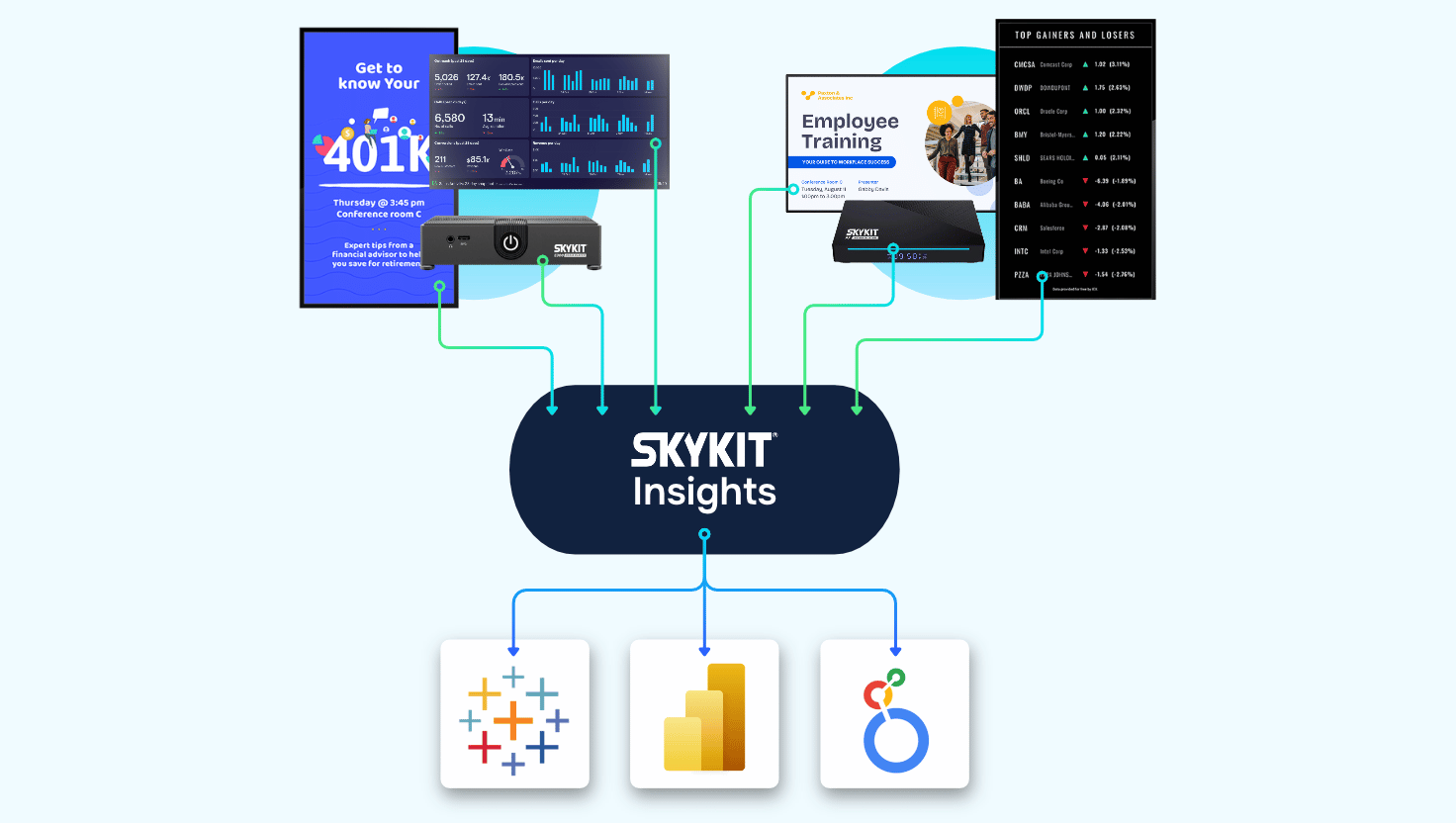
Skykit Insights connects your signage network data to the BI tools your team already uses, such as Power BI, Looker or Tableau, through a secure data connection.
Managing a signage network means understanding more than what's scheduled. You may need to know how devices are performing across every location, or document exactly which content played on which screen and when. Before Skykit Insights, that meant manual exports and custom report requests.
Now your team can work with Skykit data in a reporting environment it already knows and combine it with other business information. An operations team might track device health across all locations. Another team might use playback reporting as proof of play, a need that started in ad networks and is growing fast in corporate and manufacturing settings, where teams document safety announcements for audits and insurance. If you want a head start, our professional services team can set up your initial views and the data connection for you. Read the Skykit Insights launch post for the full story.
Insights and dashboard connections solve different problems
Insights brings Skykit network data into your reporting tools. Dashboard Connections do the reverse: they bring information from your business tools onto your screens, with 100+ dashboard integrations available. Both support visibility, but they serve very different needs.
2. Enterprise Content Integration | How do I keep digital signage in sync with my business systems?
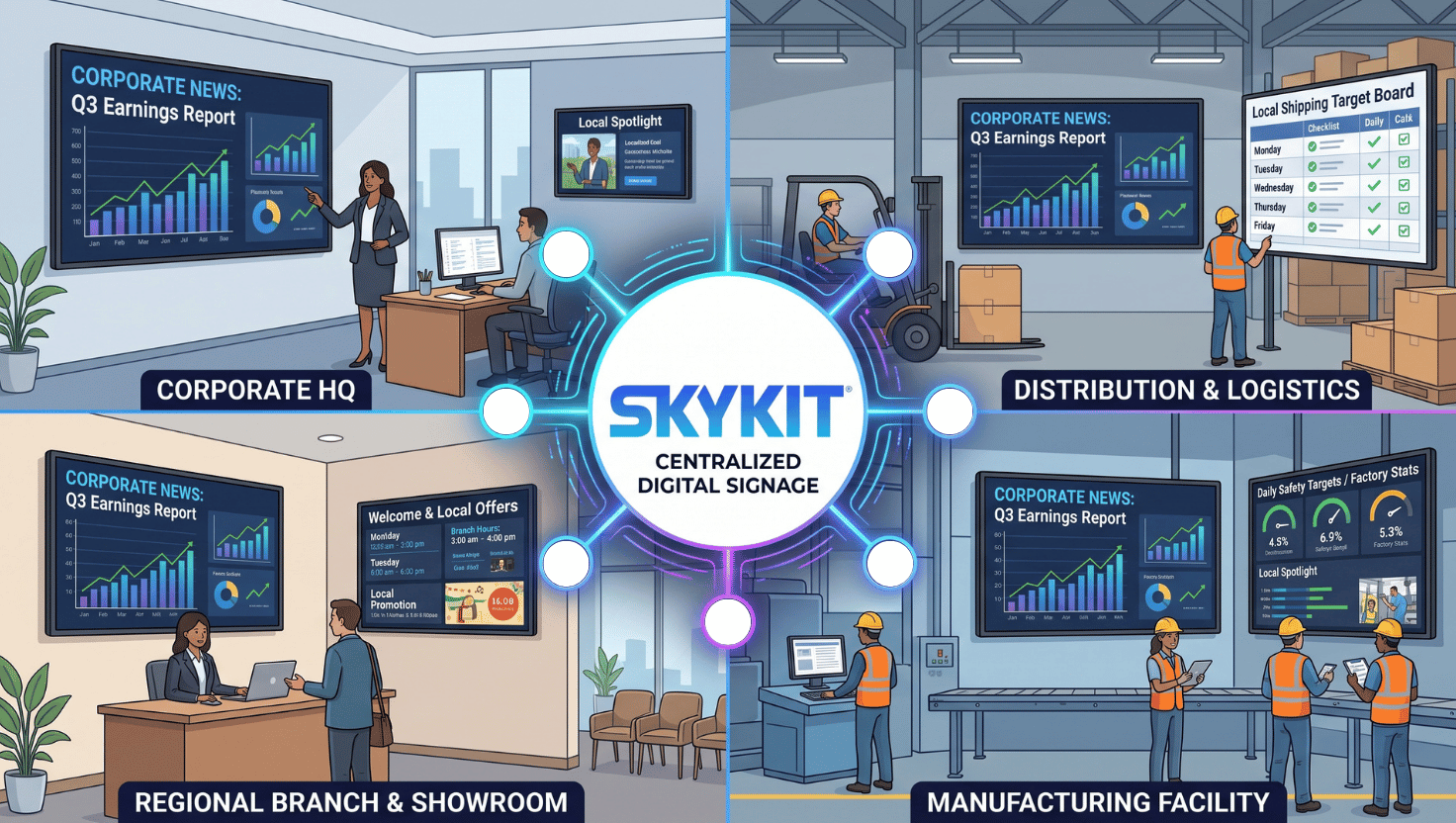
Enterprise Content Integration (ECI) links Skykit to the systems where your information already lives, so you change it once and your screens update automatically.
Information changes in business systems all the time: a price in a POS, an item in an inventory system, a menu schedule. Getting those changes onto screens usually means someone updates the same information in two places. ECI uses API integrations to connect those systems directly to Skykit, which means less manual work and screens that match what's actually happening in your business.
Our customer MustHaveMenus makes menu design software for restaurants. Their customers update a menu in that software, and the menu boards across every location change automatically.
3. F-Series Touch Displays | What hardware does Skykit offer for interactive digital signage?
Skykit's new F-Series Touch Displays support interactive experiences, where someone uses the screen to complete a task or explore information.
Think visitor check-in in an office lobby, wayfinding in a hospital, or product lookup in a grocery store. The best starting question is simple: what should a person be able to do when they touch the display?
4. Bluefin Ultra-Wide Displays | When should I use an ultra-wide digital signage display?
Through our partnership with Bluefin, Skykit now supports ultra-wide displays for spaces where a standard screen shape isn't the best fit.
The biggest use case so far is mounting a display on top of a vending machine or alongside a retail display, where the ultra-wide format looks built in and can promote the products right below it. Bluefin displays run Skykit firmware directly, so they don't need a separate media player, and the wider format opens new options for content designed specifically for that shape.
5. E300 Media Player | Does Skykit offer a TAA-compliant media player?
Yes. The E300 Media Player, available now in early access, adds a Trade Agreements Act (TAA) compliant option for organizations with sourcing requirements, such as many U.S. government and public-sector buyers.
Start with the use case when choosing hardware
Each new hardware option addresses a different need: interaction, display format, or procurement requirements. To choose the right one, ask who will use the screen, where it will live, what it needs to show or do, and what requirements your organization has to meet.
6. Collections + Layouts | What's new in Skykit Collections & Layouts?
Collections + Layouts brings the visual power of layouts and the scheduling of play rules into one place, and this quarter it gained several updates customers asked for.
You can now:
- Rename entries so collections stay organized as they grow.
- Copy an entry, including its content and play rules, to speed up recurring formats.
- Set a lead zone so every zone on the screen syncs around a single piece of content, such as a featured video.
- Get faster performance from a more modern rendering engine.
Customers who joined Skykit since spring already have Collections & Layouts. We're turning it on for existing customers over the coming weeks, and nothing you've already built goes away.
7. Everyday Improvements | What smaller updates did Skykit release this fall?
Alongside the bigger releases, we made several updates to the tasks teams handle every day:
- New video and feed content options for more ways to bring content to screens.
- Per-video transcoding choices, so you decide whether to transcode an individual video.
- Improved YouTube playback.
- In-product guidance in Content Management, Device Management and account settings, so help is available right where you're working.
You may not use every one of these right away. Start with the tasks your team handles most often.
{{divider}}
What's coming next for Skykit's digital signage platform?
Next up are the Device Health Dashboard, a new way to bring Skykit content into existing touchscreen apps, and Collections & Layouts for every customer.
Device Health Dashboard shows what needs attention across your network
Today, checking which devices are online or offline means running a report tenant by tenant. The Device Health Dashboard brings that into one view across all tenants, with a tenant-level view for people who only manage certain locations.
Device Health will be in early access in November, followed by a broader rollout. It will be part of Device Management (Skykit Control). If you'd like early access, let us know.
Existing touchscreen apps can show fresh Skykit content
We're testing a new way for an existing touchscreen or kiosk app to keep doing its job and pull fresh content from Skykit when it needs it. It's in early access with a few customers now.
Picture a retailer with a product finder on a touchscreen in every store. Marketing wants to add seasonal promotions, but every change used to require a ticket to the development team. With this capability, the app stays exactly as it is, and marketing manages the promotional content in Skykit.
The same idea works in healthcare. A clinic can keep its HIPAA-compliant patient check-in app and show health tips or flu shot reminders when no one is checking in. The check-in experience stays separate and compliant, and the screen stays fresh instead of sitting idle.
No app yet? Our team can build one with you. Skykit developers review the code, maintain the app over time, and connect it securely to a platform that has achieved SOC 2 Type 2 compliance.
Collections + Layouts reaches every customer
Over the coming weeks, we'll turn on Collections + Layouts for existing customers who are still using the classic version. Everything you've already built will keep working.
As always, roadmap items are directional and subject to change as we get closer to launch.
{{divider}}
Key takeaways
- Skykit Insights brings signage data, including device health and proof of play, into the BI tools your team already uses.
- Enterprise Content Integration keeps screens in sync with business systems, so information changes once and updates everywhere.
- New hardware, including F-Series touch displays, Bluefin ultra-wide displays and the TAA-compliant E300, fits more spaces and requirements.
- Collections + Layouts adds renaming, copying and lead zones, and is rolling out to all existing customers.
- Coming next: the Device Health Dashboard in early access starting in November, plus a new way to bring Skykit content into existing touchscreen apps.
{{cta}}

Questions about any of these releases?
Reach out to our team! We're always glad to talk through how these current releases or future roadmap items might apply to your digital signage. Your feedback directly shapes what we build next.










.svg)


