Put signage next to the metrics that matter.
See screen uptime and content alongside safety, productivity or revenue data.
TEAM
Operations.svg)
Skykit Insights
Stop rebuilding reports by hand. Skykit Insights puts current signage data where your team already works, so you can prove what played, track the health of every screen, and connect signage performance to business results.
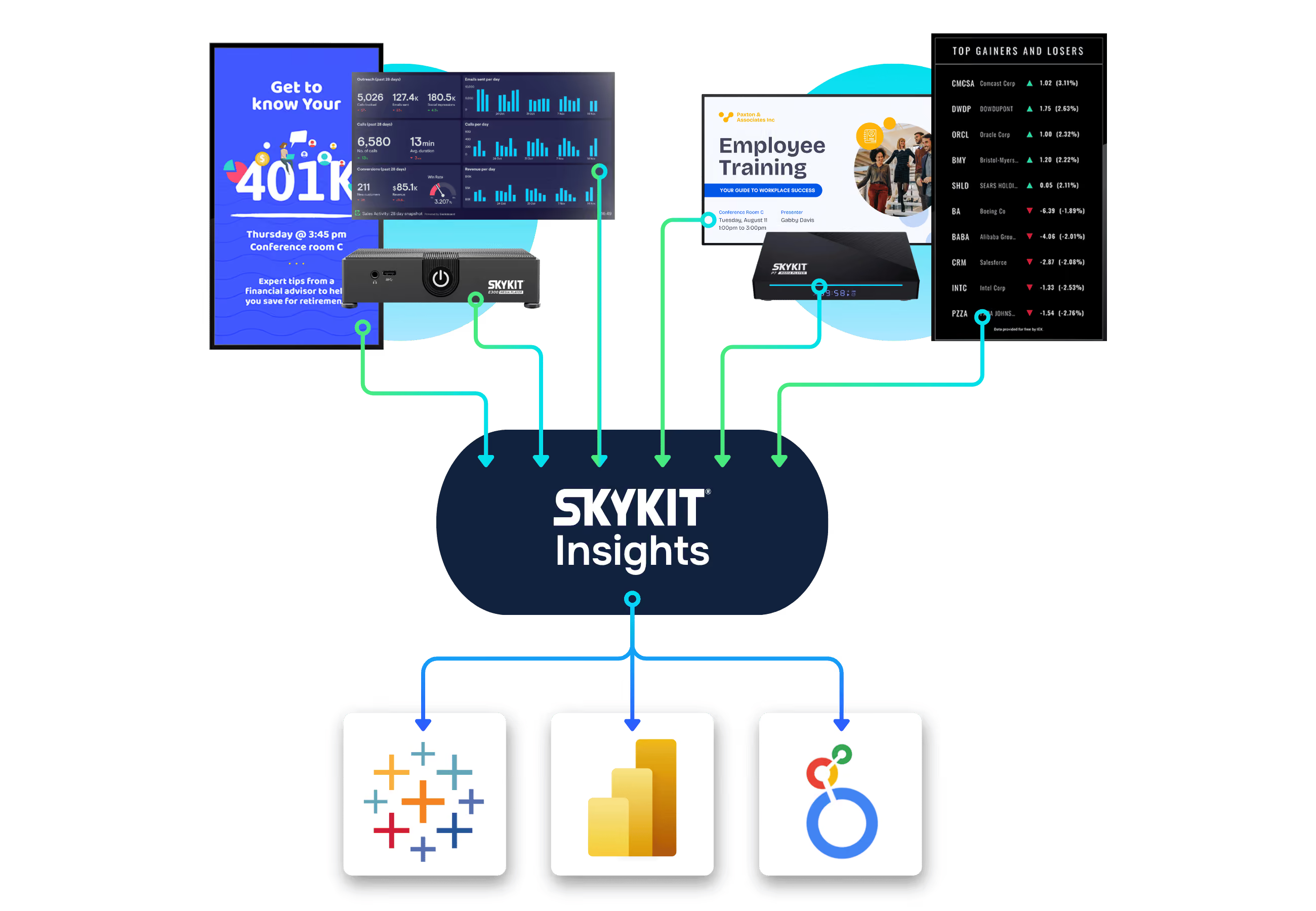
Skykit Insights is a secure data connection that delivers your Skykit digital signage data — consolidated across every location, brand and region you run — into a cloud data environment your organization owns. From there, your team can analyze it in Power BI, Looker, Tableau or any BI tool you choose.
Skykit Insights is not a dashboard. Your analysts build the reports they need in the tools they already use, and can join your signage data with CRM, revenue, workforce and operations data.
The Problem
CSV exports cover one location at a time, go out of date the moment they download, and have to be rebuilt every time someone asks a question. Teams running hundreds of screens end up pulling reports several times a day.
Skykit Insights replaces manual reports with dynamic reports that stay current.
How It Works
Skykit Insights delivers your Skykit data to a secure cloud data environment your organization owns. Your analysts query it directly, or through the BI tools they already use — instead of waiting for exports. Skykit stays the source of truth, and you decide how to analyze, combine and share the data.
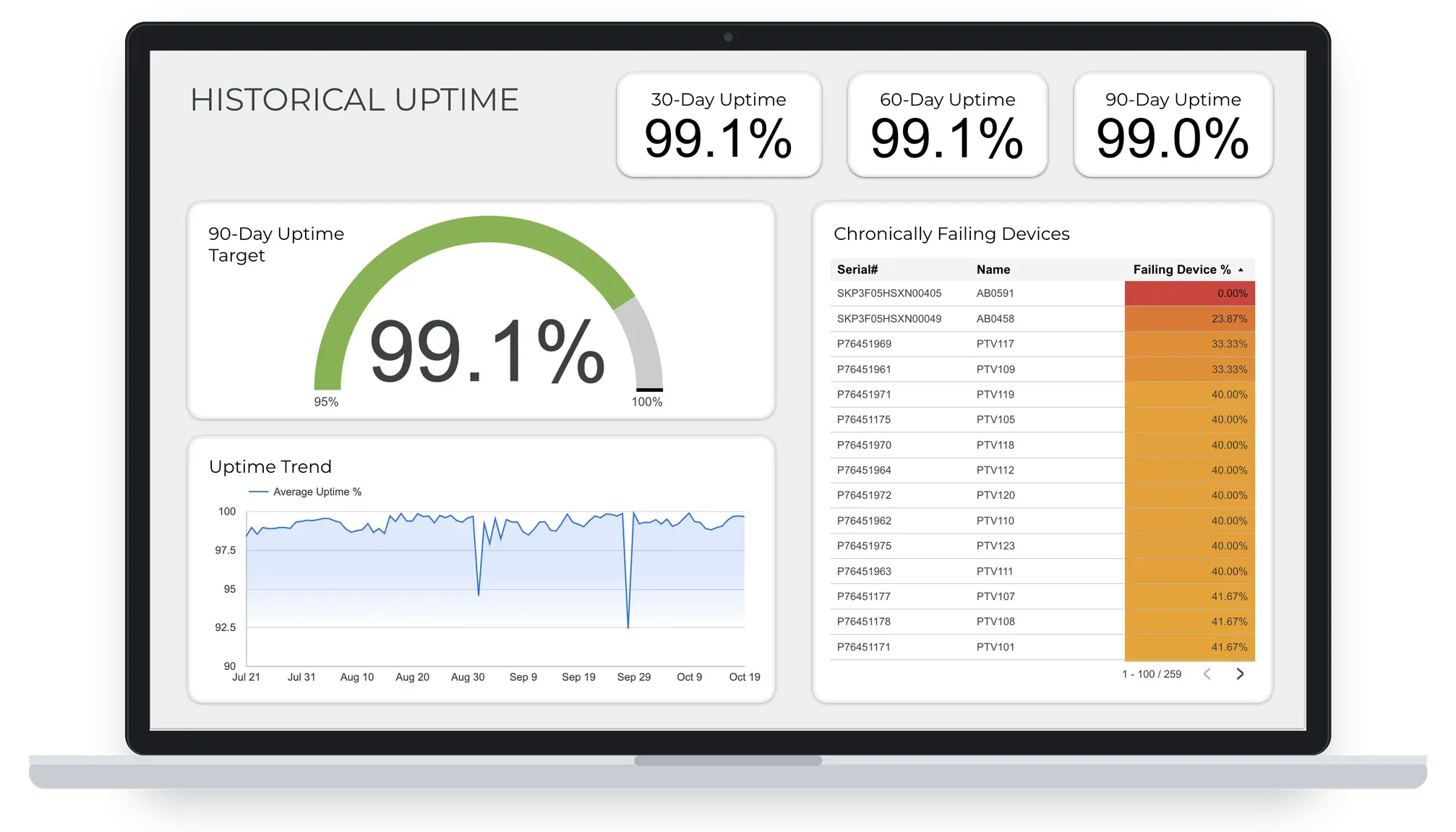
Skykit Insights is built for teams who answer for the signage network: operations, communications, and ad networks.
See screen uptime and content alongside safety, productivity or revenue data.
TEAM
OperationsConfirm that required safety, leadership or brand messages ran at every location.
Team
CommunicationsAnswer advertisers' delivery questions with play-by-play records that support invoicing.
Industry
Ad NetworksSkykit Insights includes 3 types of data: proof of play, device state, and software version. Each one answers questions teams ask every day.
Did It Play?
Proof of play shows what content played, where, when and for how long.
Reconcile campaigns and support advertiser invoicing, or confirm critical safety and leadership messages played on the right screens.
Is Every Screen Healthy?
Device state shows the status, health and connectivity of every device in your fleet.
Monitor fleet health across hundreds or thousands of screens, and reduce avoidable downtime.
Is Every Player Up To Date?
Software version data shows which software and app versions are running on each device.
Check software state across your whole network without reconciling exports.
→ Skykit Insights sends proof-of-play, device state and software version data into the BI tool of your choice, such as Power BI, Looker, Tableau or another platform.
→ Data is consolidated across every location, brand and region you run, so one report covers the whole network.
→ Skykit Insights replaces daily CSV exports with repeatable reports your analysts build once and rerun.
→ Skykit Insights is a separate subscription that complements device management in Skykit Control.
Skykit Insights
Skykit Insights data is delivered to Google BigQuery, so it connects to the compatible BI tool of your choice, such as Power BI, Looker and Tableau. Your team can also query it directly with standard SQL.
Skykit Insights delivers your data to a dataset in a Google Cloud project your organization owns. Your team controls who can see it through Google Cloud IAM roles.
Yes. Skykit Insights sends proof-of-play records (what content ran, on which screens and for how long) into the BI tool of your choice, including Power BI and Tableau, so you can report on delivery without exporting spreadsheets.
Proof-of-play data refreshes in near real-time, including plays that happened while a device was offline and synced later. Device data updates through daily snapshots, so you can review current fleet status and historical trends.
No. Skykit Insights sends your signage data to the analytics tools you already use. For a live view of your fleet inside Skykit, see Device Management.
Yes. Because Skykit Insights data lives in an environment your organization controls, your analysts can join it with CRM, revenue, workforce or operations data, for example to see screen uptime next to safety or sales metrics.
Dashboard Connections displays your BI dashboards on your screens. Skykit Insights works in the other direction, sending your signage data into your BI tools.
Yes. Skykit Insights is an annual subscription, billed by Skykit, that covers setup and ongoing maintenance of your data connection. BigQuery query and storage costs are billed separately by Google, which includes a monthly free tier. Talk to us for current pricing.
Yes. Skykit Insights consolidates data across every location, brand and region in your account.
Getting started with Skykit Insights begins with a discovery session. We'll map your current reporting and BI environment, then agree on the first report Skykit Insights should power.




.svg)