.svg)
Extending your SaaS platform to physical screens doesn't have to mean becoming a hardware and signage company. Here's what to know.
Key Takeaways
- Your SaaS is the product. Keep it that way. Adding physical screens shouldn't force your users to learn a separate digital signage system.
- Keep your software as the front end, and let an embedded signage platform handle delivery, playback, and device operations invisibly behind the scenes.
- Built for mission-critical to operations, not lobby branding. This is for environments where screens drive daily operations — digital menus, production line tracking, point-of-sale.
- Extend your platform, don't pivot your business. Building this infrastructure from scratch would mean taking on firmware, playback reliability, field support, and hardware logistics. An embedded approach lets you extend your platform to physical screens without becoming a digital signage company.
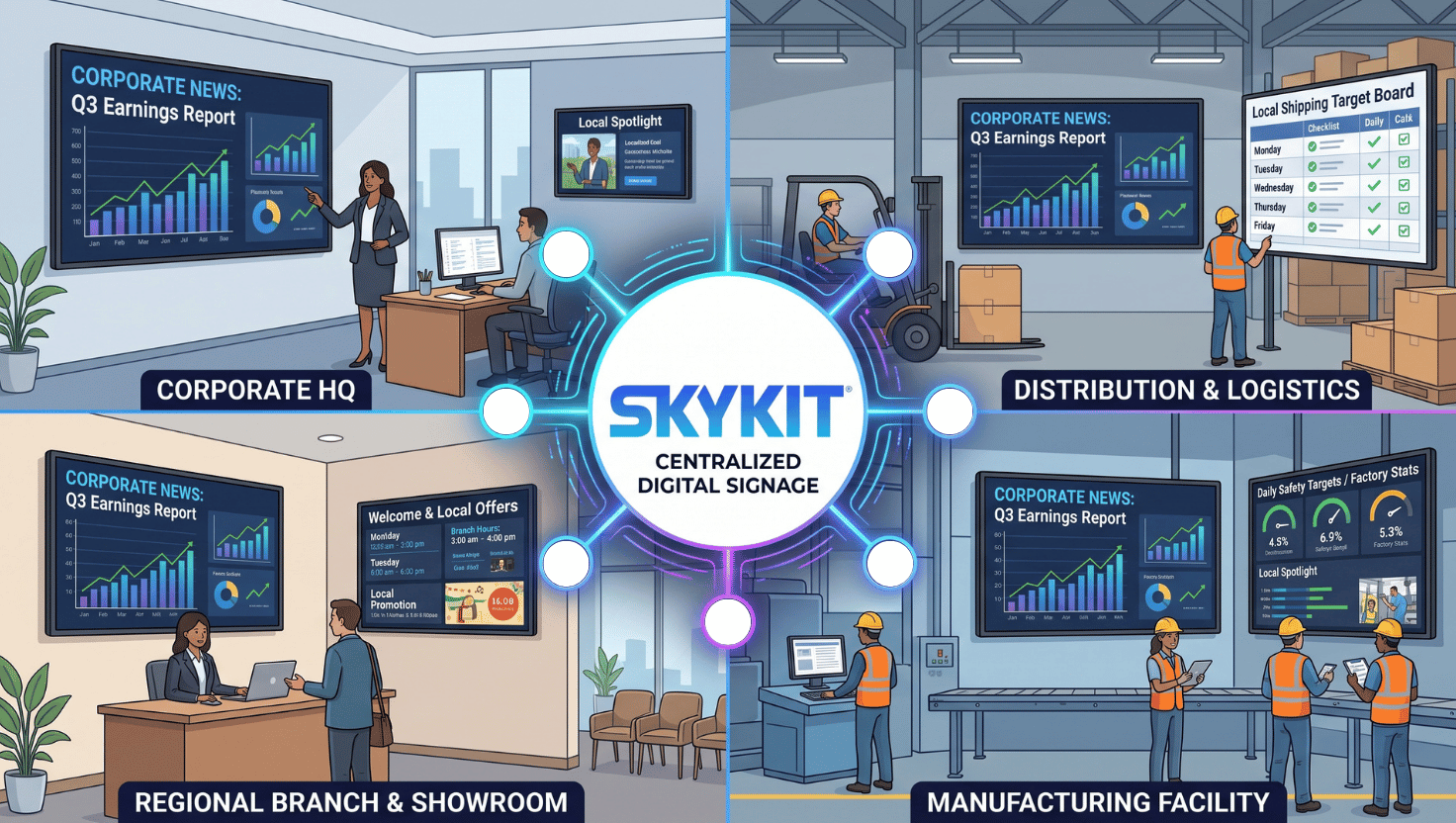
Your SaaS platform is what your customers signed up for. It's the thing they log into, rely on, and associate with your brand. So when a physical screen becomes part of how your business operates — menu boards across a restaurant chain's locations, a manufacturing platform's live production line metrics, a self-checkout screen ringing up a sale — the last thing you want is to become a digital signage company just to get there.
That's the trap a lot of software providers and multi-location businesses fall into. Getting content onto screens also usually means adopting someone else's content management system: a new login, a new workflow, a new thing for your team (or your customers' teams) to learn. Suddenly the screen experience feels disconnected from the platform it's supposed to represent.
There's another way. Your platform can stay exactly as your users know it, while the underlying digital signage infrastructure handles content delivery, playback, and device operations out of view. No second system. No new company to become.
What is embedded digital signage?
Embedded digital signage is a display model where content and business logic live in your own platform, while a separate engine (not a traditional signage CMS) handles delivery, playback, and device management behind the scenes. Instead of managing screens in a dedicated interface, your existing software becomes the front end, and the display infrastructure runs invisibly underneath it.
The hidden cost of a second workflow
Every new system your team adopts comes with a cost that's easy to underestimate: someone has to log into it, learn it, and keep using it correctly — every day, indefinitely. Content that already lives in your platform has to be re-entered or re-published somewhere else, creating a second place for things to go stale or fall out of sync.
For software providers, this cost compounds. If your product is the system your customers use to run their business, asking them to also manage a standalone signage tool can undercut the value of the platform you built.
Five signs an embedded model may be the better fit
- Your content already lives in: your platform, portal or POS system.
- Your users already have a workflow they trust, and a second interface adds friction without adding value.
- Your screens need to react in real time to a transaction, a scan, an operational event.
- You're managing screens across many locations, where a fragmented workflow costs more in training and support.
- You don't want to become a hardware and device operations company. Reliable playback, local caching, and field support are their own discipline.
If two or more of these sound familiar, an embedded approach is worth a closer look.
What this looks like in practice
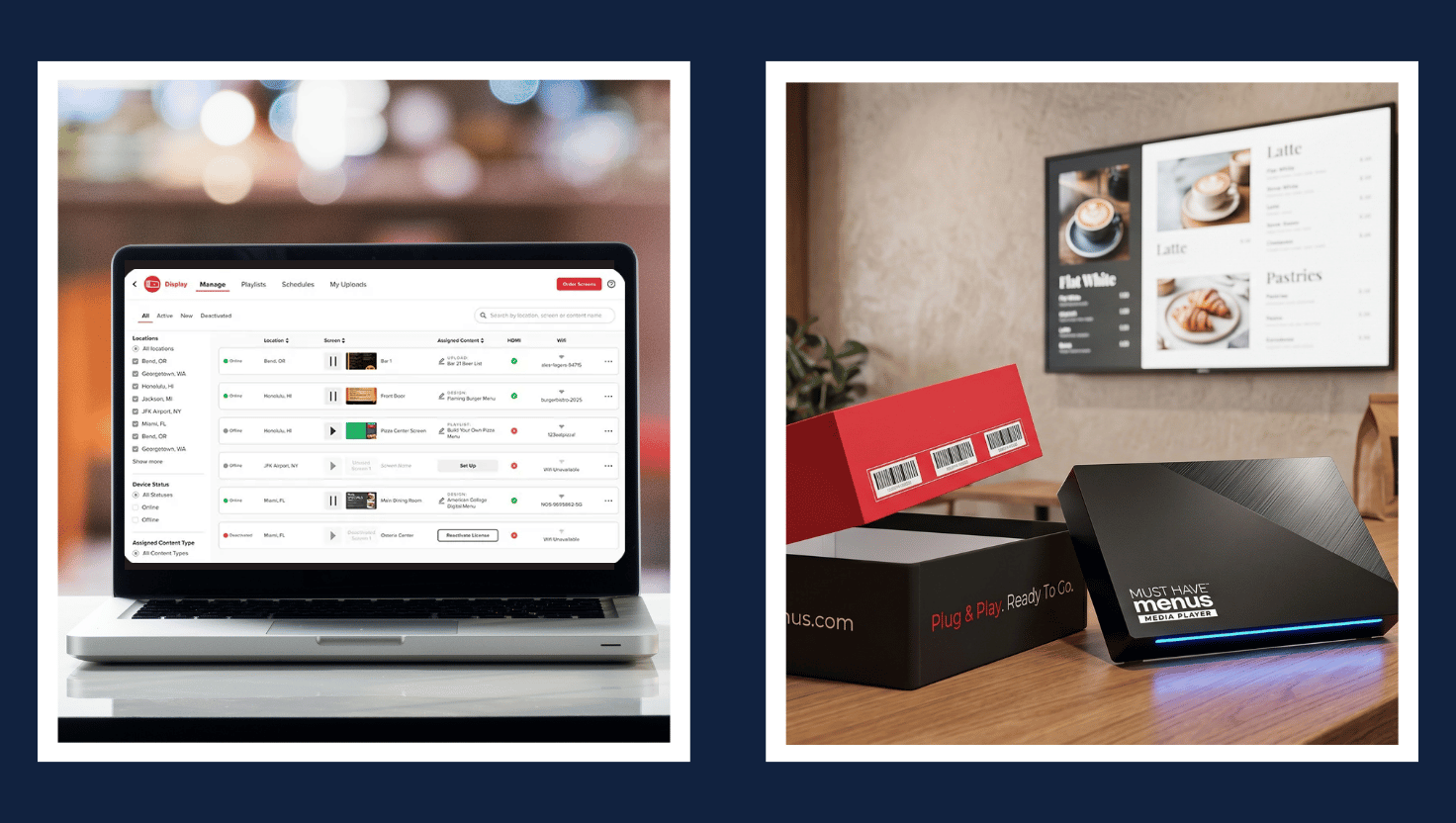
MustHaveMenus lets restaurants design and manage menus entirely within its own SaaS platform. Rather than asking restaurant owners to also learn a separate signage tool, MustHaveMenus stays the only workspace they need — while the underlying display infrastructure handles delivery and playback to the menu boards themselves.
Posly takes it a step further: a handheld register scanner triggers a specific, relevant piece of promotional content on a nearby display the moment a barcode is scanned — with local caching ensuring playback continues smoothly even if connectivity drops. It's the difference between a screen playing a static schedule and one that responds to what's actually happening in the business right now.
Choosing the right path forward
The API handoff connecting your platform to a display is often the easy part. The harder question is everything after that: offline resilience, device management, firmware, and field support when something breaks in the field. None of it is impossible to build — it's just a second full-time discipline, layered on top of the product you're already building.
That's exactly the layer Skykit Enterprise Content Integration (ECI) is built to handle — connecting to the systems you already use through an API-driven model, while Skykit's digital signage platform manages delivery, caching, playback, and device visibility behind the scenes.
{{cta}}
Frequently Asked Questions
What is embedded digital signage?
Embedded digital signage is a display model where your own software platform stays the interface your users work in, while a separate display infrastructure handles content delivery, playback, and device management behind the scenes — instead of requiring a standalone signage CMS.
How is embedded digital signage different from a standard signage CMS?
A standard CMS is a dedicated workspace built specifically for managing screens. An embedded model connects your existing platform directly to the display infrastructure, so your team never has to leave the system they already use. It's best suited for businesses where content or data already lives somewhere else. If you're starting from scratch with no existing platform to connect, a standard signage CMS is a better choice.
Does embedded digital signage work offline?
Reliable playback depends on local caching and queueing at the device level, so screens can continue playing content through a network interruption rather than going blank. The specific offline behavior depends on the content type, trigger logic, and device configuration involved.
Can we build this ourselves instead of using a partner?
The API handoff connecting your platform to a display is often straightforward to build. The larger commitment is everything after that: local caching, device monitoring, firmware updates, and field support when something goes wrong. An embedded approach lets you extend your platform without taking on that operational layer yourself.
Can the experience be white-labeled?
The display experience can be embedded so the end user never sees a separate interface. Branding, commercial terms, and any white-label requirements are confirmed during scoping, since they vary by implementation.
Can screens be monetized through advertising?
In some cases, yes. The same infrastructure that powers content delivery can connect to ad exchanges for eligible networks. Availability, inventory ownership, and reporting requirements depend on the specific use case and need to be validated individually.
Ready To See If Embedded Digital Signage Is Right For Your SaaS Platform?
Get The Embedded Digital Signage Guide for SaaS Platforms — a deeper look at integration scope, offline behavior, device operations, security and ownership. Learn what to evaluate before you commit.










.svg)


