.svg)
Selecting an enterprise digital signage platform shapes how your organization communicates for years to come. Choose wrong and you risk security vulnerabilities, operational headaches, and screens that go dark exactly when you need them most.
This guide covers seven evaluation factors that matter most for enterprise deployments, so you can walk into a vendor evaluation with a clear framework instead of a features checklist.
Key Takeaways
- Scalability determines whether a platform can grow from 10 screens to 10,000 without added complexity or cost.
- Enterprise-grade security requires SOC 2 Type 2 compliance, firmware-level protection, and role-based access controls.
- Device management should include remote troubleshooting, bulk updates, and real-time health monitoring across locations.
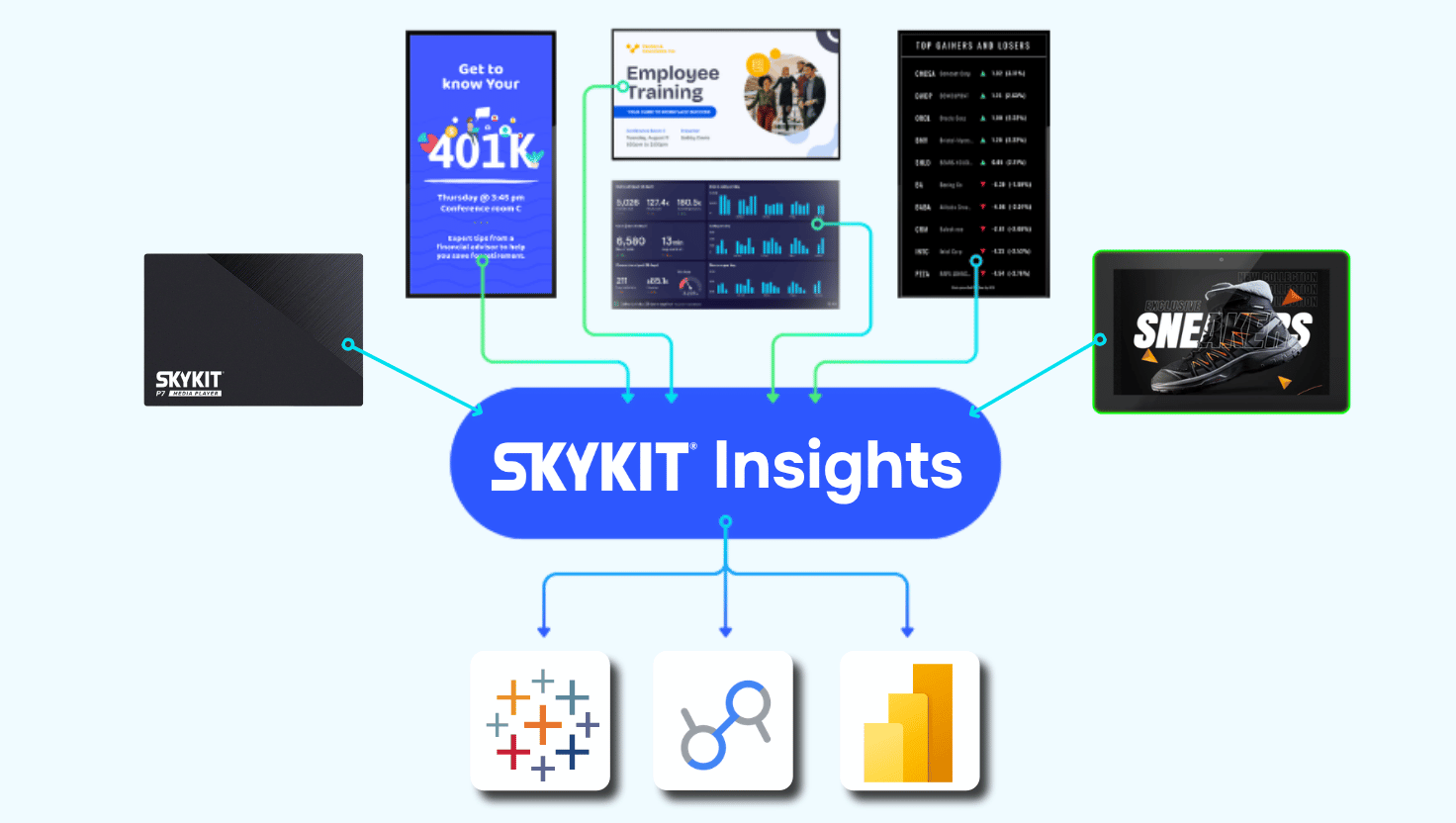
- Integration depth with tools like Power BI, Tableau, Grafana and Salesforce turns passive displays into live operational dashboards.
- Full-stack accountability — one vendor controlling hardware, firmware, and software — means one call resolves most issues.
What Are the 7 Factors for Choosing Enterprise Digital Signage?
The seven factors are scalability, security architecture, remote device management, integration depth, content management flexibility, analytics and proof-of-play reporting, and support structure. Each is covered in detail below.
How Important Is Scalability for Multi-Location Digital Signage?
Scalability is critical because a platform that works for 50 screens may buckle under 500, and one built for single locations often creates chaos across multiple facilities. Your network will grow over time, and switching platforms mid-growth is expensive and disruptive.
Look for centralized dashboards that let you manage content, schedules, and devices across every location from one interface. Multi-tenant architecture lets corporate teams maintain brand standards and push global content, while local teams manage their own locations without needing IT involvement for every update. The ability to group screens by region, department, or function makes targeted content distribution far more efficient than managing displays one at a time.
Hardware standardization matters just as much as software architecture. Organizations that accumulate devices, media players, and connectivity from different vendors over time — often without intending to — tend to see slower troubleshooting, inconsistent performance, and higher management overhead as the network grows. A platform built around a single, consistent device standard is dramatically easier to scale than a patchwork stitched together vendor by vendor.
What Security Features Should Enterprise Digital Signage Have?
Enterprise digital signage should have SOC 2 Type 2 compliance, SSO support, MFA enforced on admin accounts, encryption in transit (TLS 1.2+) and at rest (AES-256), granular role-based access controls, and firmware-level device lockdown. Digital signage networks are potential entry points to your corporate network, so a compromised display can expose sensitive data, damage your brand, or create compliance violations.
SOC 2 Type 2 compliance matters because it verifies security controls through independent, ongoing audits — not a one-time certification. If your industry requires HIPAA or GDPR compliance, confirm the platform meets those standards before moving forward, and don't accept vague assurances in place of documentation.
Why Does Remote Device Management Matter?
Remote device management matters because it lets IT teams resolve most hardware and software issues without an on-site technician visit. When a screen goes dark in a remote office, you need answers fast. Platforms that only control software leave you dependent on local staff or costly service calls for anything hardware-related.
Effective device management includes remote reboot, screenshot capture for troubleshooting, over-the-air firmware updates, and real-time health monitoring that alerts you before problems escalate. Full-stack platforms that control hardware, firmware, and software in one system can resolve a large majority of issues remotely, which reduces both cost and mean time to resolution compared to software-only vendors.
What Business System Integrations Should Enterprise Digital Signage Support?
Enterprise digital signage should integrate with business intelligence (BI) tools like Power BI and Tableau, CRM platforms like Salesforce, and content tools like Canva, Google Slides, and PowerPoint. Dashboard integrations turn screens into live data visualization tools instead of static displays.
Look beyond simple URL embedding. Enterprise platforms should support SSO authentication for dashboard access, automatic session refresh, and formatting optimizations that make dashboards readable from across a room. Connections to emergency alert systems can also turn a signage network into a critical safety communication channel — a use case that's often overlooked during initial evaluation.
How Flexible Should Digital Signage Content Management Be?
Content management should be flexible enough that non-technical users can create, schedule, and deploy content without IT involvement for every update. If every content change requires a ticket, the platform will bottleneck the teams trying to use it.
Evaluate scheduling capabilities like dayparting, which shows different content at different times of day. Location-based targeting ensures the right message reaches the right audience, and playlist management should support both corporate-mandated content and locally curated additions. Cloud-based content libraries with auto-sync capabilities let teams update files in OneDrive or Google Drive, and see changes reflected on screens automatically.
What Is Proof-of-Play Reporting and Why Does It Matter?
Proof-of-play reporting documents that specific content played on specific screens at specific times, verified at the hardware level rather than assumed from a schedule. Analytics capabilities should tell you what played, when, and where (you can't improve what you can't measure).
For organizations using digital signage for advertising, hardware-verified proof-of-play gives advertisers confidence that their content actually appeared, which is essential for DOOH networks and for internal stakeholders who need accountability. Device health analytics also help you track uptime, identify problematic locations, and make data-driven decisions about hardware refresh cycles.
Why Does Vendor Support Structure Matter for Digital Signage?
Vendor support structure matters because when something breaks, you need clear accountability — not a runaround between vendors. Software-only vendors may point to hardware manufacturers; hardware vendors may point back to the software layer. That back-and-forth creates delays while your screens stay dark.
Platforms that control the complete stack offer single-point accountability: one call resolves issues across content, devices, firmware, and connectivity. Responsive 24/7 support resources signal a vendor committed to your long-term success. Ask potential vendors directly about average response times, escalation procedures, and how support scales as your deployment grows.
Making the Right Decision for Your Organization
Enterprise digital signage is a long-term investment that touches IT, communications, facilities, and operations teams. The seven factors above give you a framework for evaluating platforms objectively instead of on feature lists alone.
Skykit gives enterprise teams a complete digital signage solution with SOC 2 Type 2 compliance, 99.99% playback uptime, and 100+ integrations connecting the tools you already use to screens across your organization. Because hardware, firmware, and software are built together under one vendor, you get the accountability and reliability that software-only platforms can't match.
If your team is ready to evaluate options, schedule a demo to see how these factors translate into real-world performance for your specific use cases.
{{divider}}
FAQs About Choosing Enterprise Digital Signage
What is enterprise digital signage?
Enterprise digital signage refers to display networks built for large organizations with multiple locations, strict security requirements, and complex content distribution needs. These platforms include advanced device management, role-based permissions, and compliance certifications that consumer-grade solutions typically lack.
Why does SOC 2 Type 2 compliance matter for digital signage?
SOC 2 Type 2 compliance verifies, through independent audits conducted over time, that a vendor has implemented effective security controls for data protection, availability, and confidentiality. For organizations displaying sensitive business data on screens, this reduces risk and helps satisfy procurement requirements.
How does remote device management reduce costs?
Remote device management lets IT teams reboot devices, push updates, and diagnose problems without sending a technician on-site. Since on-site service calls typically carry a meaningful per-visit cost, resolving issues remotely can deliver substantial savings across a large deployment.
What integrations should an enterprise digital signage platform support?
Look for direct integrations with BI tools like Power BI, Tableau and Grafana for live dashboards, content creation integrations with Canva, Google Slides and PowerPoint, and connections to emergency alert systems like Alertus and InformaCast for safety communication.
How can I evaluate digital signage platform scalability?
Two factors matter most: whether the platform supports multi-tenant management, so local teams can run their own locations without waiting on IT — and whether it's built around standardized hardware rather than a mix of devices picked up over time. A fragmented vendor stack is one of the most common reasons scalable-on-paper deployments become difficult to manage in practice. Ask vendors directly how their platform handles both, since deployment size and content needs vary too much for standardized benchmarks to be useful on their own.
What is proof-of-play reporting?
Proof-of-play reporting documents that specific content played on specific screens at specific times. Hardware-verified proof-of-play confirms playback at the device level rather than relying on scheduled assumptions — which matters for advertising networks, compliance audits, and internal accountability.











.svg)


