Digital signage needs are always evolving – from keeping content fresh to managing screens across many locations. My role at Skykit is to connect what we’re building with the problems we hear from customers. So when our CTO and co-founder Paul Lundberg and I hosted our November 2026 webinar, we shared what’s new through the lens of the challenges you’re trying to solve every day. We called it “New Ways to Solve 5 Common Digital Signage Challenges.”
For each challenge, I walked through what’s new in Skykit, our enterprise platform for managing digital signage. Paul then showed what it looks like in practice, with customer stories along the way. Here’s the recap. (Full recording link at the end of the article!)
{{divider}}
TL;DR
- Getting information onto your screens: Skykit Enterprise Content Integration (ECI) lets screens pull content straight from the business systems where it already lives, so no one has to re-create it. 365 Retail Markets, a self-checkout technology provider, uses it so its customers never need a second login.
- Understanding your screen network: Skykit Insights sends screen data, like what content played and when, to the reporting tools you already use. OnDeck Marketing uses it to track ads on its high school screen network.
- Identifying device issues: The Skykit Device Health dashboard (coming soon) shows the status of every device in one view, so your team can see which screens are offline and fix them faster.
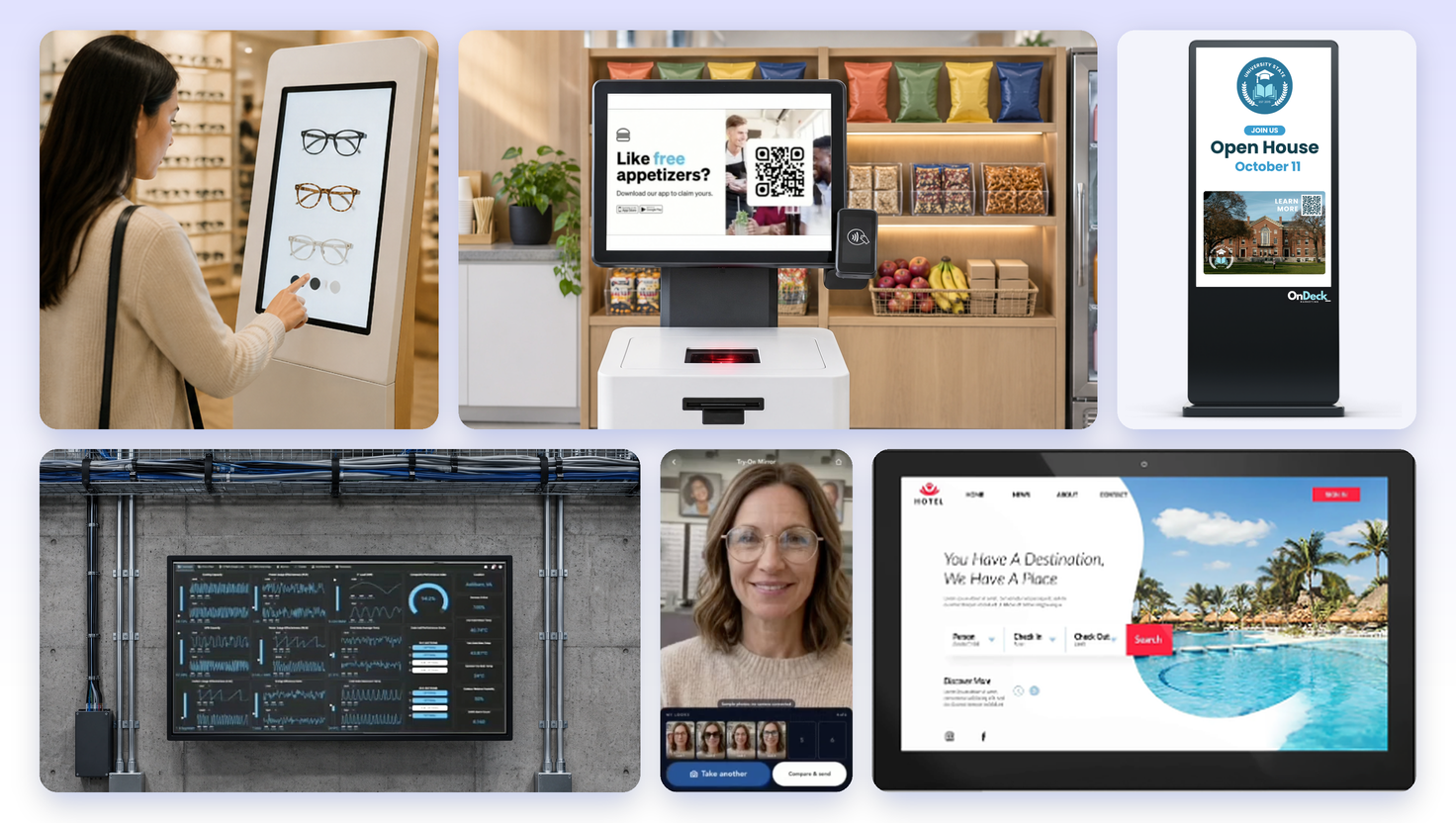
- Creating experiences beyond standard signage: With Skykit Experience Studio, Marketing teams can now update promotions on interactive touchscreens in Skykit, with no developer needed. An eyewear retailer was among the first to try it to update their displays with current promotions .
- Choosing hardware for different environments: New touch displays, ultra-wide screens and media players, the devices that power screens, fit more locations. One media player was built for QTS Data Centers to meet federal guidelines.
{{divider}}
How do you get information from your business systems onto your screens without managing it twice?
The information on a digital sign, whether it’s a production dashboard on a factory floor, a clinic’s wait-time screen or an in-store ad display, usually starts in another business system: a production database, a scheduling tool or an ad platform. Those systems stay current as part of everyday business, but most digital signage software can’t work from them directly. Someone has to bring the content into a separate signage tool, then organize and schedule it there all over again.
This means extra work – and when someone falls behind, screens show outdated information.
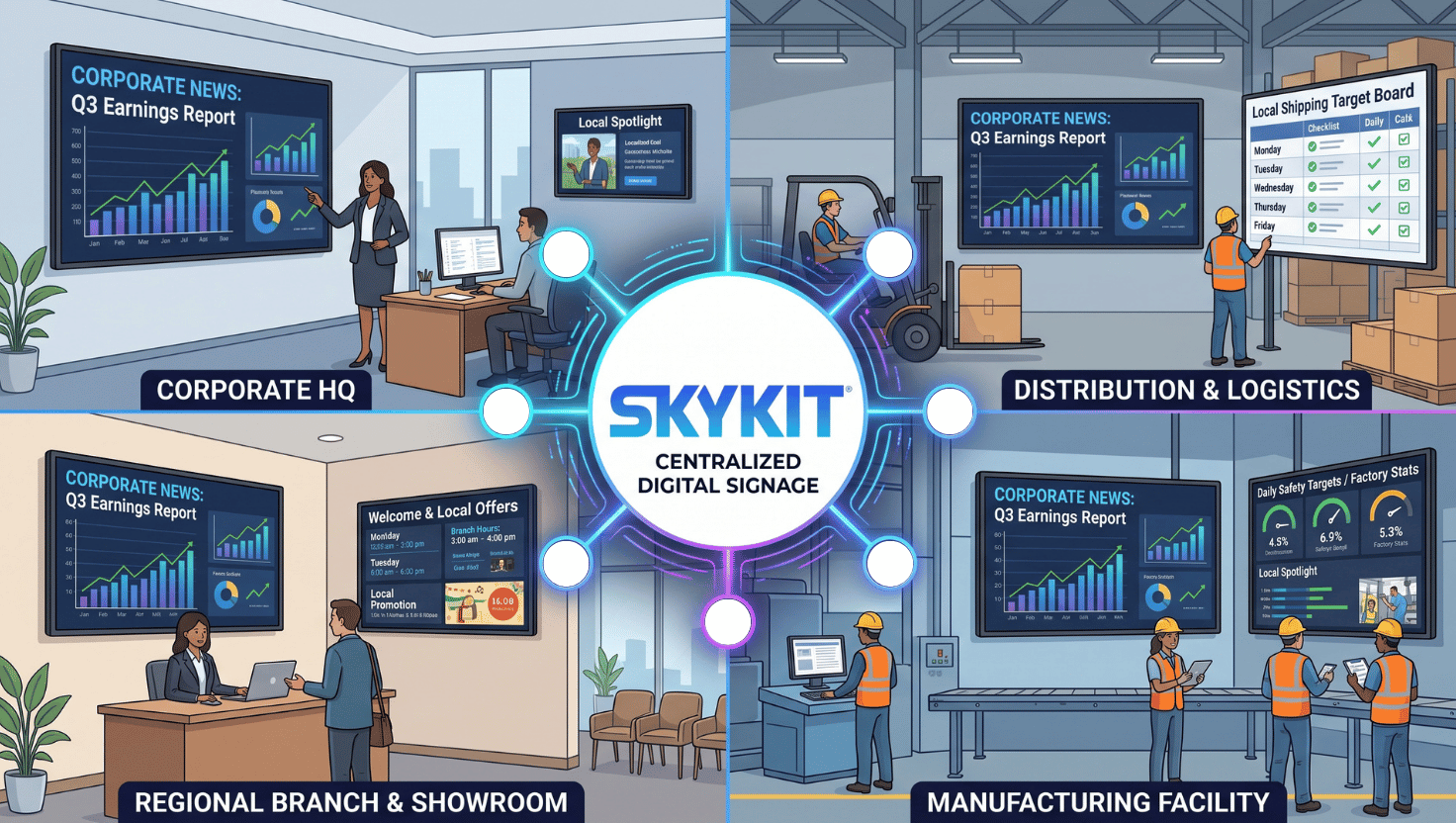
That’s why we built Enterprise Content Integration (ECI). Most integrations feed content into a signage platform’s CMS, where someone still has to organize and schedule it. ECI skips that step. Your system stays the source of truth for what plays, in what order and when. The Skykit media player (the small device that powers each screen) pulls content directly from it. Your team, or your customers, never have to log in to another content tool. Setup follows a standard blueprint, and we work closely with you to connect the dots for your system.
The idea started with a 30,000-screen network
Our largest customer, which had more than 30,000 screens at the time, was creating hundreds of versions of its content. Every version had to be uploaded into our CMS and organized there, even though it was already organized in the customer’s own system. So we asked: why not have the media player retrieve content directly from their system and skip the re-upload? They could still tell us what to play, in what order, how often, and on which dates. They’d just do it from their side.
Customer story: 365 Retail avoided a second login for its customers
The challenge: 365 Retail Markets provides self-checkout technology for workplace markets. 365 wanted its customers to be able to add their own content to the checkout screens, where 365 also places advertising. But those customers already log in to 365’s system to manage their checkout setup. The last thing 365 wanted was to send them to a second portal just to manage screen content.
The fix: We applied the same idea. 365’s customers add content in the system they already use, and the Skykit media player retrieves it from there directly. Nothing has to pass through Skykit’s CMS first.
The result: 365 added screen content to its own product without handing customers another interface or login. Paul called it a big win for 365. The approach has since spread well beyond them. Paul shared a stat he called astounding: across all of our customers, more than half of Skykit’s network now gets its content this way.
Wondering if this is a fit for your organization? One sign our team looks for: a digital asset management system, or DAM. That’s a central library where a company stores and organizes its images, videos and other content. If you already have one, your content is already organized, and with ECI you don’t have to rebuild it in a separate signage tool.
{{divider}}
How do you see what's happening across your screen network?
Once content is on your screens, the next challenge is knowing what’s actually happening across them. Are all the screens working? Did a sponsor’s ad actually play when it was supposed to? Which content ran at which locations?
Traditionally, that data sits inside the software that runs the screens. To see it, someone has to log in, pull a report and send it around, and by then it may already be out of date.
Skykit Insights fixes that by sending screen data automatically to the business intelligence (BI) tools your teams already use – like Power BI, Looker or Tableau. It covers data like proof of play (what content played, where and when), and device state. Nobody has to export anything or build a report by hand. That opens up three things:
- Operations teams can monitor screen health across the whole network in one report.
- Marketing and sponsorship teams get audit-grade proof that content ran when it was supposed to.
- Business leaders can combine screen data with what they already track, like CRM or sales data.
Customer story: OnDeck Marketing needed more than standard reports
The challenge: OnDeck Marketing runs an ad network on screens in high schools. Each screen shows a mix of the school’s own content for students, and ads from colleges and other post-secondary schools. To run that business, OnDeck has to monitor every campaign and confirm that each ad played. That means OnDeck is always looking for deeper analytics. Skykit’s built-in reports cover the basics of proof of play and device health well, but OnDeck needed more.
The fix: OnDeck now uses Skykit Insights. Data from every media player in its network flows through Skykit into a data warehouse, a central store for company data, that OnDeck owns. (We usually help with that setup.) After that, OnDeck points its reporting tool of choice at the data and builds whatever views and reports it wants.
The result: OnDeck gets the data it needs to manage its business its own way. Paul added that customers often go a step further. They bring in data from other systems, like accounting or advertising contracts, and analyze it all together.
{{divider}}
How do you find out a screen is down before someone calls it in?
Data shows you what’s working. It should also make it easy to see what isn’t. Picture a screen that goes dark at a location your team rarely visits. Without a single view of every device, nobody knows until someone on-site calls it in. By then it may have been dark for days, missing every promotion, message or ad it was supposed to play.
The Device Health dashboard (coming soon!) fixes that with one view across every location, showing what’s online, what’s offline and what needs attention right now. Instead of checking devices one by one, your team can open one screen and know where to start. It builds on the device status and remote troubleshooting Skykit already provides through Device Management, which lets you fix many problems without sending someone on-site. So you catch issues before anyone reports them, make fewer site visits, and keep your messages playing where they should.
First look: the Device Health dashboard customers asked for
The plan for Device Health came straight from conversations with customers. Sometimes we find devices that have been unhealthy for a long time, our team points them out, and we help customers fix them. Customers told us they want to see that for themselves. Most of all, they want to know: which of my devices are offline, and what can I do about it?
What it shows: At the top, you see your total devices and any inactive ones, meaning devices that haven’t been online or whose content hasn’t changed. Below that, it calls out common issues you can act on:
- Reboot loops: a device restarting more often than it should. It’s rare, but worth digging into.
- Network instability: Paul called the network, from firewalls to connection strength, the biggest issue Skykit deals with.
- Low storage: less common, but critical when it happens.
- Outdated firmware: devices that would benefit from a newer version of their built-in software, which matters for security.
What you can do from there: Filter by date range, download a report and drill into the details of any single device in Device Management. Paul sees it as an important addition for customers who manage their own networks and want to keep them healthy. I’m really excited about this one, and I think you will be too.
{{divider}}
How do you keep interactive kiosk content fresh without a developer ticket?
Some of your most valuable screens are interactive. Picture a touchscreen product finder in one of your stores. Shoppers use it to browse, and it’s also prime real estate for whatever you’re promoting. Here’s the catch: experiences like this are usually custom-built, with the promotions written right into the code. Every banner swap becomes a developer ticket, so either the promo goes stale while it waits in the queue or developers get pulled away from their roadmap. Often both.
Skykit Experience Studio solves this by connecting your interactive experience to Skykit. Your developers still own the product finder, but the promo space becomes content your marketing team manages in Skykit Content Management, just like any other screen. Updates go live in every store, with no developer needed. This is in early access, so if you have an experience like this, we’d love to hear from you.
Customer story: an eyewear retailer’s kiosk got the best of both worlds
The challenge: Paul shared the story of an eyewear retailer, one of the first customers to test this idea with us. Skykit has long supported two options: standard signage, where you upload content and arrange what plays in Content Management, or a fully custom interactive experience that runs on its own. Then we started hearing, “What we really want is both.” This retailer had a rich kiosk experience full of content they wanted to change often: seasonal eyewear, promotions, product categories. But every change meant reorganizing content and releasing a new version of the kiosk software. That meant they just didn’t change content as often as they wanted to.
The fix: We moved the parts that change out of the kiosk software and into Skykit. Now the retailer logs in to Content Management, updates the promotions or product areas and publishes.
The result: The kiosk shows the new content right away, with no developer and no new software release. Paul said we’re betting big on this combination: richer interactive experiences, with content that’s easy to keep fresh.
This goes beyond experiences you’ve already built. Paul noted that a lot of organizations run their screens on older software they aren’t happy with. We’re now helping customers build these experiences directly, so we can offer the whole stack, from the device up to what shows on the screen. We have a few running in our own office, and they’re pretty fun to play with.
{{divider}}
How do you choose the right hardware for every location?
Every location is different. A store’s product finder needs a touchscreen. A lobby may call for an extra-wide screen. A government site may require hardware that meets federal purchasing rules, and some locations have no reliable network. One device can’t cover all of that.
That’s why we keep adding to our hardware lineup, both the screens and the media players, the small computers that power them. We maintain the firmware (the software built into each device) for everything in the lineup, which keeps devices secure and tightly integrated with the platform. Here’s what’s new:
- F-Series touch displays: A fit for larger projects where price and a range of sizes matter, like convention center room signs or restaurant ordering kiosks. Many models use Power over Ethernet (PoE), so one cable supplies both network and power.
- Bluefin displays: Our partner Bluefin is known for ultra-wide displays that retailers use where a standard screen won’t fit. One project underway builds them right into a cooler.
- E300 media player: It meets the Trade Agreements Act (TAA), a purchasing requirement in federal and other high-security environments.
- E400 media player with cellular capability: Now certified with T-Mobile, this device is perfect for off-site locations or secure environments where a wired or Wi-Fi network isn’t practical.
Customer story: QTS Data Centers needed a TAA-compliant device, so we built one
The challenge: QTS Data Centers operates data centers across the country and serves many federal organizations. In its operations control rooms, screens powered by Skykit show views of everything going on in each data center. Going in, QTS required a TAA-compliant media player with a specific level of processing power.
The fix: That device wasn’t on our roadmap. But it was an important opportunity, so we went and built it. We sourced the device, built the firmware and committed to maintaining it over time.
The result: We figured other customers would want it too, so we added it to our standard lineup as the E300. This is typical of how we work: we listen for what a solution requires, and when we need to, we go build it.
{{divider}}
{{cta}}
Key takeaways
- Manage content once, where it already lives. With Enterprise Content Integration, screens pull content straight from your own business systems. More than half of our network now works this way.
- Put screen data where your analysts already work. Skykit Insights sends device health and proof-of-play data to your own reporting tools, the way it does for OnDeck Marketing’s school ad network.
- Find dark screens before someone calls them in. The Device Health dashboard, coming soon, shows offline devices and common issues across every location in one view.
- Let marketing own the promo space on interactive screens. When kiosk content is managed in Skykit, a new promotion goes live without a developer or a software release.
- Fit the hardware to the site. Touch displays, ultra-wide screens, a TAA-compliant media player built for QTS Data Centers and a cellular option now cover more environments.
The big theme: We want to meet you where your data, tools and locations already are. And when something’s missing, we listen and go build it.

Watch On Demand
Curious to watch the full session? You'll see our Device Health walkthrough, and hear more bout Skykit's customer stories.