.svg)
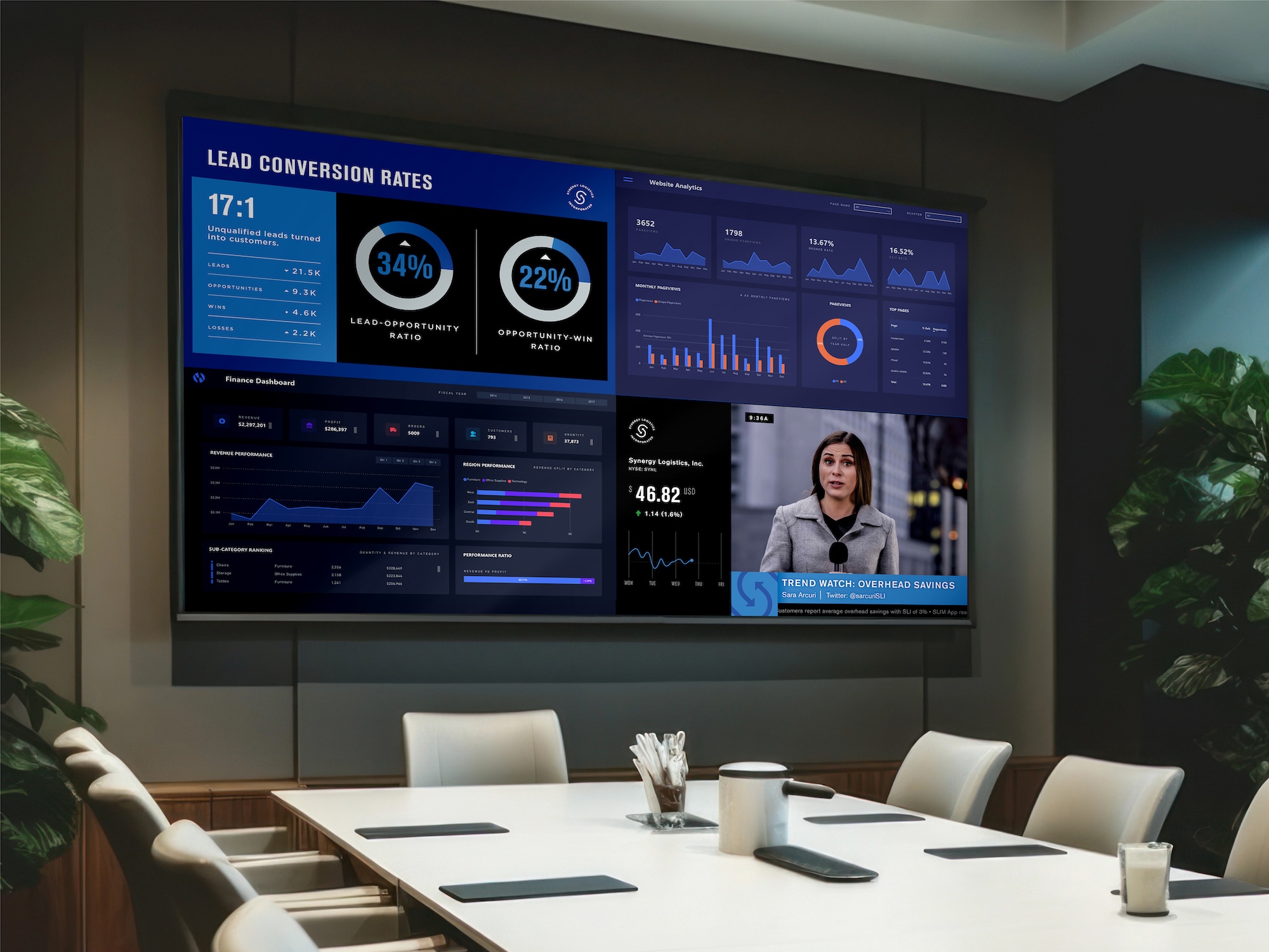
Transform desktop data visualizations into impactful digital signage. Learn key considerations and tips for optimizing dashboard views on large-format displays.
Applications that provide real-time data visualization of business insights have become increasingly crucial for internal team communications (think tools like SharePoint and Jira). But when it comes to digital signage, not all views of data dashboards are created equal.
What works on a desktop monitor doesn’t always translate effectively to large-format displays. Let’s explore together some of the key considerations and best practices for optimizing your company’s dashboard views on digital signage.
The Challenge of Large Format Screens
A common misconception for businesses adopting a digital signage strategy is that their data dashboard applications will automatically adapt to large-format displays. While many digital signage platforms offer basic dashboard capabilities, Skykit sets itself apart by engineering solutions that specifically optimize for large-format displays. This ensures real-time data applications perform and display as intended.
These elements, while perfectly functional on a desktop monitor, can suddenly become problematic when they’re scaled up to digital signage dimensions. Skykit Dashboard Connections moves beyond just presenting standard dashboard views. It’s engineered to account for the additional post-authentication steps needed to provide the optimal presentation of your real-time information.
Traditional data dashboard application views often include elements like:
- Dense navigation menus
- Small-text tooltips
- Hover-dependent interactions
- Complex filtering options
Post-Login Actions: The Critical First Steps
The moments immediately following dashboard authentication are crucial for establishing a first-rate viewing experience. While many other digital signage platforms rely on default views, or require users to manage complex browser extensions for a more custom presentation, Skykit’s solution delivers fully managed, automatic optimizations such as:
- Dashboard-specific cropping adjustments
Cropping configurations to show only a specific portion of the dashboard. - Removing unnecessary navigation + consistent pop-ups
Hiding navigation menus/buttons that interfere or distract from the dashboard - and dismissing notifications or pop-ups that cover the view. - Content refresh rate optimization
Automatically maintain real-time views (instead of screenshots) with custom refresh intervals for enhanced control over content updates. - Dashboard-specific cropping adjustments
Automated refresh triggers (for dashboards that require manual interaction) | Some dashboards (Salesforce, for example) require occasional manual interaction to refresh content. Skykit handles these requirements, ensuring your dashboards stay continuously synchronized without human intervention.
Automated optimizations ensure your dashboard content not only maximizes display space but also:
- Maintains real-time synchronization.
- Handles secure authentication requirements.
- Delivers consistent performance and readability across any large-format display.
Best Practices for Dashboard Implementation on Digital Signage
To achieve the best possible dashboard presentation views on your digital signage, consider these essential tips when preparing your application views:
Content Optimization
- Fonts should scale appropriately for viewing distance and screen size.
- Color should ideally consist of high-contrast color schemes.
- Remove unnecessary interactive elements.
- Prioritize the most important metrics.
Layout Considerations
- Views should utilize grid-based layouts for consistent spacing.
- Leverage responsive design principles.
- Create clear visual hierarchies.
- Leave adequate whitespace between elements.
Technical Configuration
- Make sure the authentication credentials you use have appropriate permissions to display your desired content.
- Understand the potential number of view request limits set by your application provider.
- Set a fallback image on your display in the event that your dashboard view is unreachable.
- Set an adequate refresh and duration when configuring your dashboard in Skykit.
Looking Ahead: The Future of Real-Time Data Visualization
As businesses increasingly rely on data-driven decision-making, the role of digital signage in showcasing real-time insights will become even more critical. Skykit’s innovative approach to dashboard optimization goes beyond simple display solutions, offering a glimpse into the future of large-format data visualization. By:
- Addressing the unique requirements of large-format displays,
- Following platform-specific best practices,
- And providing automated, intelligent optimizations,
Skykit is revolutionizing how organizations communicate vital information.
Don’t let your valuable data insights get lost in translation. Discover how Skykit’s Dashboard Connections can transform your digital signage strategy, ensuring your team always has access to clear, impactful, and up-to-the-minute information.











.svg)


