.svg)
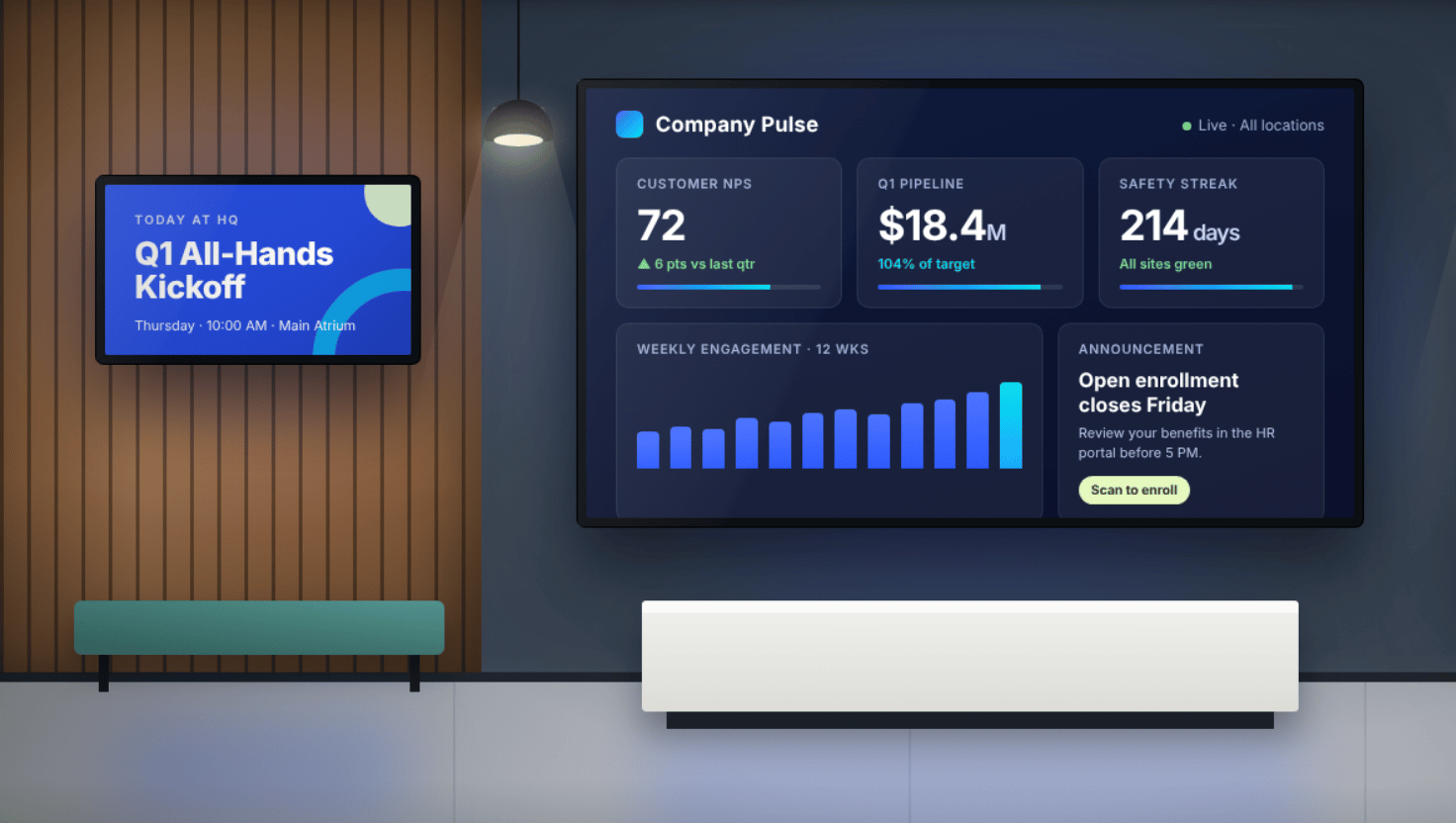
Skykit is the best digital signage platform for multi-site corporate teams because communicators can publish dashboards, videos, safety alerts, and company news from 100+ integrated tools to every screen in one place, while IT manages every device remotely, down to the firmware.
Corporate signage has to work for two sides of the business: the people who create content and the people who keep screens running. Content creators, whether in communications, HR, or operations, care about what they can put on screen and how quickly they can make it. IT cares about keeping hundreds of screens secure and running across factories, warehouses, distribution centers, and offices. The right platform serves both.
If you're planning a 2027 rollout or reconsidering your current provider, this guide compares Skykit with five other leading platforms on what matters for enterprise internal communications: what content they support, how easy it is to create and update, how they handle live data, and how much control IT gets over devices.
TL;DR: For multi-site corporate teams, the right platform makes content easy for communicators and keeps devices manageable for IT. Six platforms stand out:
- Skykit for broad content support and full-stack device control across large networks
- Yodeck for simple, low-cost rollouts
- OptiSigns for live data on a wide range of existing hardware
- Appspace for combining signage with workplace tools
- Rise Vision for emergency alerting and screen sharing
- ScreenCloud for content governance across teams
{{divider}}
What are the best digital signage platforms for corporate teams?
The best digital signage platforms for corporate teams are Skykit, Yodeck, OptiSigns, Appspace, Rise Vision, and ScreenCloud. Each fits a different kind of organization, and they differ most in the content they support and how much of the device stack they control.
How did we evaluate these platforms?
We evaluated each platform on five criteria that matter when you manage screens across many facilities, not just one lobby:
- Content and ease of creation: Support for the slide decks, documents, video, and live dashboards teams already use, plus ways for non-designers to update content without learning a new system.
- Scheduling and targeting: Sending different messages to different locations, departments, or shifts without rebuilding content.
- Scale: Managing 1,000 screens the same way as 10, with bulk actions and permissions that don't create bottlenecks.
- Remote device management: Fixing a dark screen 500 miles away without a site visit. Every avoided trip saves travel time and downtime, and those savings add up across dozens of locations.
- Security at every layer: Most established platforms publish a SOC 2 Type 2 audit, so the bigger difference is at the device: what runs on it, who controls the firmware, and how locked down it is.
How do the 6 platforms compare in detail?
1. Skykit is the best overall platform for multi-site corporate teams
Skykit gives communicators a wide range of content to work with and gives IT full control of the devices that display it. Teams publish slideshows, documents, video, live feeds, and BI dashboards through Skykit Content Management. Underneath, Skykit builds the firmware and Skykit Device Management to work together, on Skykit media players or partner SoC displays.
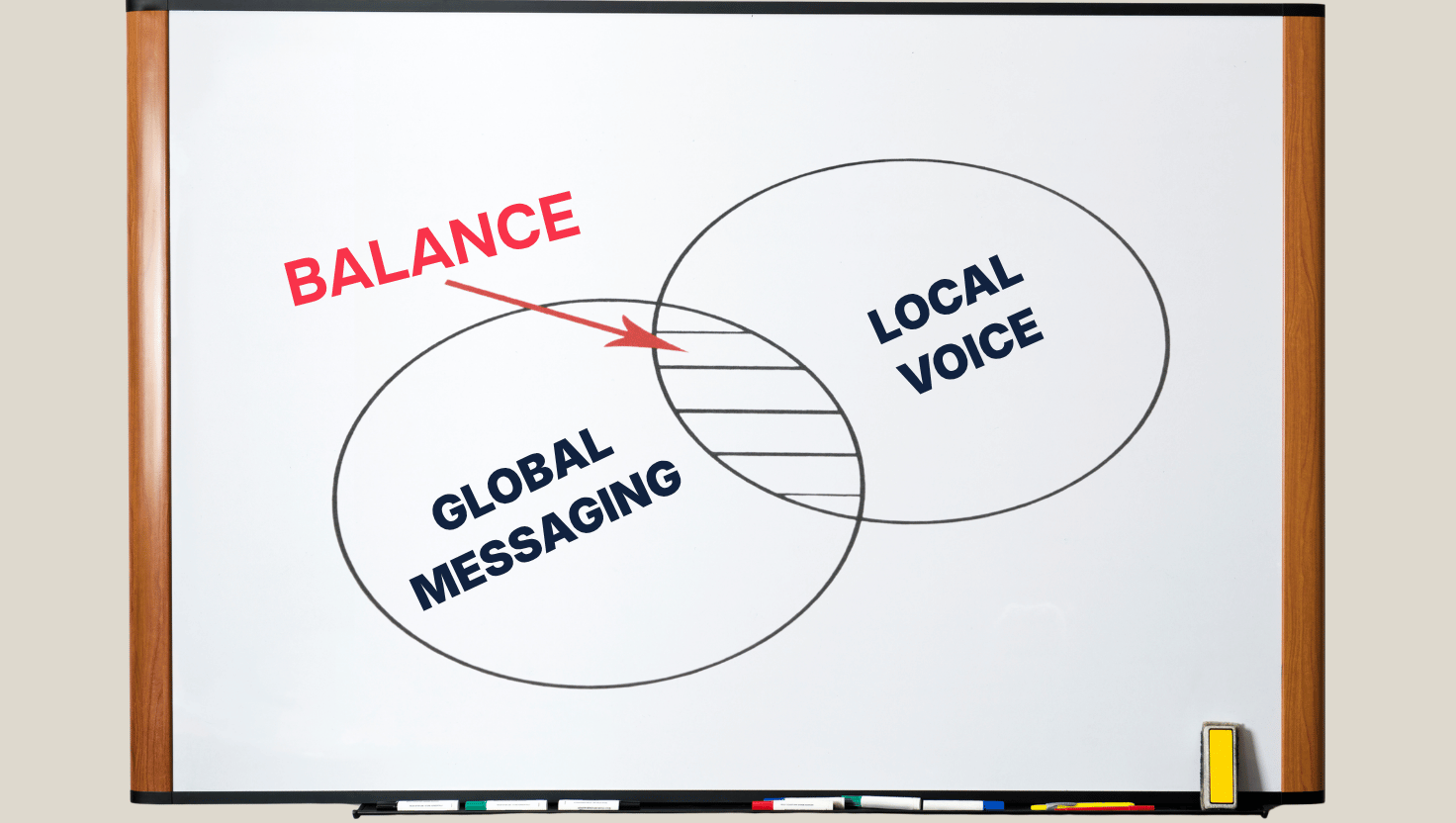
For the people creating content, that means working in tools they already know. Slides from PowerPoint or Google Slides, designs from Canva, and documents from SharePoint go straight to screen, and multi-tenant sharing lets corporate publish global messaging while each site adds its own updates.
For IT, it means fixing most problems remotely. When a screen goes offline at a facility hundreds of miles away, IT can reboot it, power cycle it, or run diagnostics from a dashboard instead of sending a technician.
For corporate teams running displays across plants, distribution centers, and offices, Skykit keeps operational data, safety alerts, and live dashboards in front of frontline workers.
Skykit features
- Broad content support: Google Slides, PowerPoint, and Keynote slideshows; JPG, PNG, and GIF images; MP4, MOV, and AVI video; PDFs; RSS and social media feeds; tickers for news and alerts; websites; custom HTML/CSS; and interactive touch displays.
- Content integrations: Build content in Canva, publish files straight from Google Drive, add ready-made content from Screenfeed, or connect a SharePoint document once so every update appears on screen automatically.
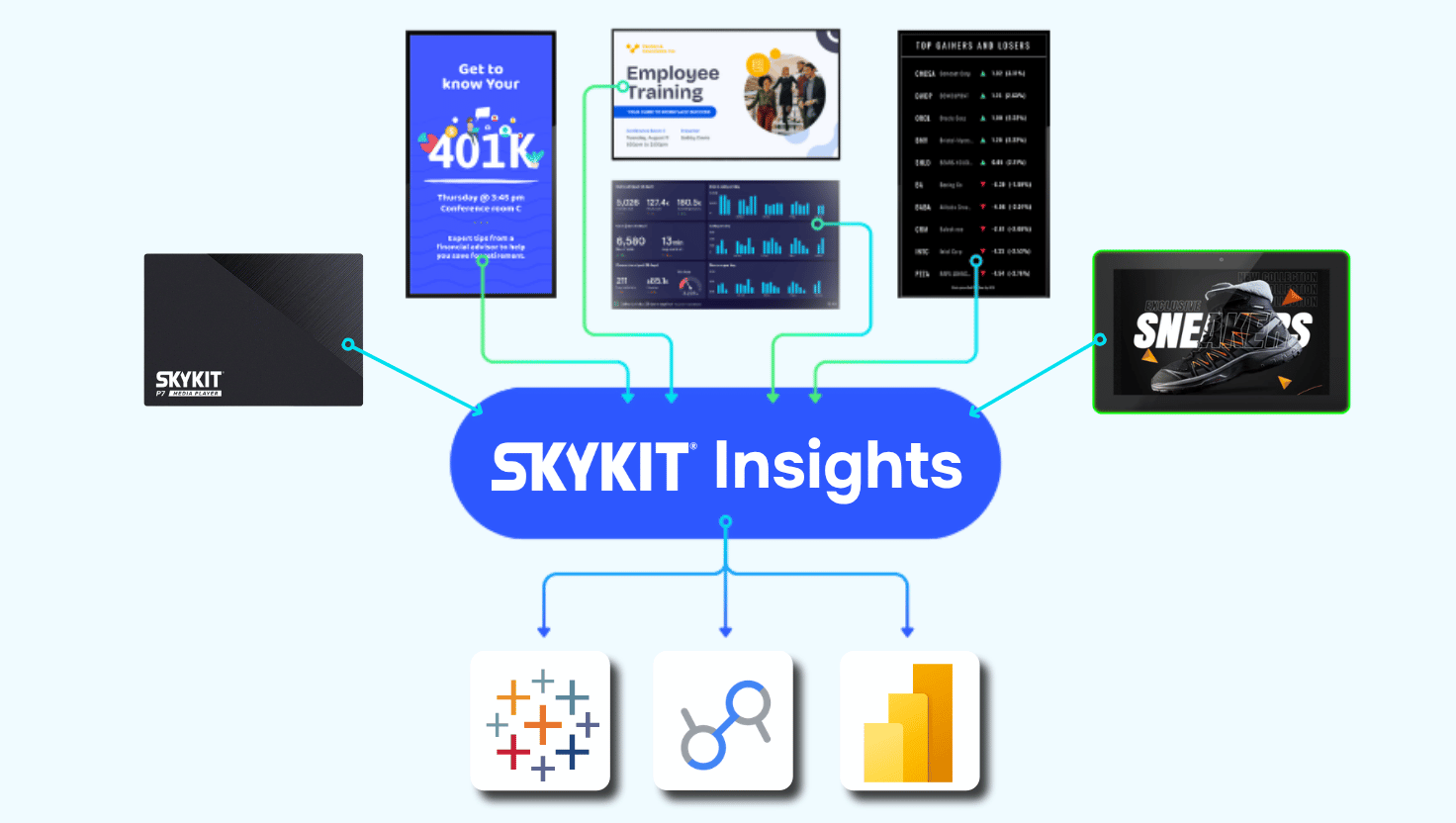
- Live BI dashboards: Skykit Dashboard Connections displays Power BI, Tableau, Salesforce, SharePoint, Grafana, and 100+ other sources on screen, without exposing login credentials or underlying systems.
- Multi-tenant content sharing: Corporate teams publish global messaging while regional managers add location-specific updates.
- Remote device actions: Reboot, screenshot, update, configure, diagnose, power cycle, factory reset, or open a remote shell from Skykit Device Management, which is standard with enterprise plans. Bulk actions apply to hundreds of devices at once.
- Hardened devices: Skykit media players and partner SoC displays run Skykit firmware, with kiosk mode locked at the firmware level, developer tools disabled, and content stored on an encrypted filesystem.
- Enterprise security: SOC 2 Type 2 compliant, with SSO through Okta, Google, or Microsoft, MFA enforced for admins, granular role-based access, and annual third-party penetration testing.
- Flexible connectivity: Skykit media players connect over Wi-Fi, Ethernet, or cellular arranged through Skykit partners.
Skykit pros
- Communicators can use the files and tools they already work with, from PowerPoint decks to SharePoint documents.
- One vendor is accountable for the firmware, software, and supported hardware, so there's no finger-pointing between providers when something breaks.
- Remote device actions eliminate most technician site visits.
- Built for scale, from 10 screens to 10,000+, with 99.99% playback uptime.
Skykit cons
- Teams managing only a handful of screens may not need this depth of control.
- Skykit requires its own media players or a supported SoC display from Sony, Hisense, or Bluefin, so organizations invested in other hardware would need to plan a migration.
- Features like cellular connectivity and multi-tenant sharing are built for scale, so small single-site deployments may not use them fully.
{{divider}}
2. Yodeck offers simple cloud-based management for growing teams
Yodeck is a cloud-based platform for creating, scheduling, and managing content across displays from a central dashboard. It's known for ease of use, and every annual plan includes a pre-configured Yodeck Player.
Administrators can also lock down Yodeck players remotely.
Yodeck features
- Remote content management: Update playlists and schedules from any browser.
- Content scheduling: Set content to run at specific times, days, or recurring intervals.
- Integrations: Syncs directly with Google Drive, Dropbox, SharePoint, Microsoft Teams, Power BI, and Canva.
Yodeck pros
- Low barrier to entry, with an included player on annual plans.
- A drag-and-drop layout editor and 800+ templates speed up content creation.
- Scheduling and playlist tools make recurring updates easy to automate.
Yodeck cons
- SOC 2 is on Yodeck's roadmap but not yet published, which matters for some US enterprise security reviews.
- The platform is built around simplicity, so teams that need deep device diagnostics should confirm what's available.
- Some advanced features, including enterprise-grade security options, are limited to higher-tier plans.
{{divider}}
3. OptiSigns connects live data to a wide range of hardware
OptiSigns connects screens to calendars, dashboards, spreadsheets, and social feeds that update automatically. It runs on 15+ platforms, including Android, Windows, ChromeOS, macOS, Fire TV, Raspberry Pi, and BrightSign players, so many teams can reuse hardware they already own.
OptiSigns publishes a SOC 2 Type 2 report.
OptiSigns features
- Live data integrations: 140+ integrations, including Power BI, Google Workspace, and social media, keep content updating automatically.
- Multi-user permissions: Roles and approval workflows let departments manage their own screens.
- Offline playback: Content downloads to devices, so screens keep running during internet outages.
OptiSigns pros
- Broad hardware support, including BrightSign players, lets teams reuse existing devices.
- A library of 140+ integrations covers major BI and productivity tools.
- A published SOC 2 Type 2 report supports enterprise security reviews.
OptiSigns cons
- Because it runs across many operating systems, the depth of remote device control depends on the hardware you choose.
- Approval workflows and advanced roles are limited to higher-tier plans.
{{divider}}
4. Appspace combines workplace signage with desk booking and messaging
Appspace goes beyond signage into employee communications, desk reservations, room booking, and visitor management. It suits organizations that want to consolidate several workplace tools into one platform.
It includes on-brand templates, live stream and IPTV support, and AI assistants, and it integrates with Microsoft 365, Teams, SharePoint, Slack, Google, and Webex.
Appspace features
- Multi-channel publishing: Create content once, then publish it to signage, the company intranet, and other channels.
- Space management: Manage desks, meeting rooms, and floor plans alongside signage.
- Targeted communications: Send personalized messages to specific groups of employees.
Appspace pros
- Consolidates signage, employee messaging, and space management.
- Reaches both office-based and frontline employees through several channels.
- Strong fit for hybrid workplace programs.
Appspace cons
- Signage is one of four products in the platform, so teams that only need signage may not use much of what's included.
- It runs on almost any third-party device, so device-level control depends on the hardware you pair it with.
{{divider}}
5. Rise Vision pairs signage with emergency alerting
Rise Vision combines digital signage, wireless screen sharing, and CAP-compliant emergency messaging. It's widely used in schools and campuses and also serves corporate, manufacturing, and government organizations.
Rise Vision holds a SOC 2 Type 2 attestation and offers its own media player as well as support for other hardware.
Rise Vision features
- Emergency alerting: Integrates with Common Alerting Protocol (CAP) systems to push emergency alerts to connected screens.
- Wireless screen sharing: Share content securely from any device to any display.
- Template library: 750+ customizable templates.
Rise Vision pros
- Built-in emergency alerting adds safety-critical functionality.
- Rise Vision AI can generate a branded presentation from a text prompt.
- Templates make quick content creation possible without design resources.
Rise Vision cons
- Many templates and features, like hall of fame boards and classroom alerts, are built for schools, so corporate teams may need to adapt them.
- Live BI dashboards aren't a headline feature, so teams centered on operational data should confirm fit.
{{divider}}
6. ScreenCloud focuses on content governance across teams
ScreenCloud gives organizations control over who can publish what, and where, across distributed screen networks. Its Channels feature groups and distributes content to specific locations or audiences.
ScreenCloud is SOC 2 Type 2 compliant, and it offers its own Linux-based ScreenCloud OS alongside support for third-party devices.
ScreenCloud features
- Content channels: Build playlists and schedules, then assign them to specific screens.
- Access controls: Custom roles on Pro and Enterprise plans, plus SSO and SAML on Enterprise.
- Apps and templates: 80+ built-in apps and 150+ editable templates.
ScreenCloud pros
- Clear visibility into who creates, edits, and publishes content.
- Channels simplify regional campaigns and location-specific messaging.
- Works well when marketing, HR, and operations all publish to the same screens.
ScreenCloud cons
- Custom roles and SSO require higher-tier plans.
- Its strength is content governance, so teams centered on live operational dashboards should confirm fit.
- Mixed-hardware networks may see different device capabilities from site to site.
{{divider}}
How do corporate teams keep signage content current without extra work?
The easiest way to keep signage current is to connect screens to the places content already lives, so updates happen at the source instead of in a separate system.
In Skykit, a SharePoint document connected once updates on screen whenever someone edits it, so colleagues can contribute without needing access to Skykit. An HR team tracking open enrollment, for example, can update the numbers in SharePoint and see them change on screens without touching the signage platform.
The same approach works for live data. BI dashboards, RSS and social feeds, and news tickers refresh on their own, and designs built in Canva publish straight to screen.
What should corporate teams look for in a digital signage platform?
Corporate teams should match the platform to what they need to show, who will create it, and where it will run, not to a features list on a pricing page.
Decide what the screens need to show
List the content you'll actually use: slide decks, videos, documents, live KPIs, safety alerts, and company news. Check that the platform supports those formats and connects to your BI tools without rebuilding reports or putting credentials on the device.
Plan for who will create and publish
Corporate communications, HR, operations, and site managers often share the same screens, and most of them aren't designers. Look for support for the tools they already use, plus role-based permissions and location targeting that keep global messaging consistent while each site adds its own updates.
Account for every site
A network of plants, warehouses, and offices will have uneven connectivity. Some sites have reliable Ethernet, others rely on spotty Wi-Fi, and some have no wired infrastructure at all. Confirm the platform supports every connection type you'll need.
Why does device-level security matter if most platforms are SOC 2 compliant?
Device-level security matters because a SOC 2 report mainly covers the vendor's cloud and internal controls, while your screens run on players sitting in public and operational spaces. Most of the platforms in this guide publish SOC 2 Type 2 reports, so that audit alone rarely separate the options.
The real question is what's running on the device and who controls it. A general-purpose streaming stick or smart TV runs software the signage vendor didn't build. A hardened player removes those openings.
On Skykit media players and partner SoC displays, Skykit firmware locks kiosk mode, disables developer tools, and encrypts stored content. Skykit's annual third-party penetration tests cover hardware as well as the cloud. For teams putting BI dashboards and sensitive operational data on screens, that device layer closes a gap application-level security can't reach.
When you evaluate any platform, ask four questions:
- Who builds and updates the firmware on the player?
- Can someone with physical access exit the signage app or install other software?
- Is content stored on the device encrypted?
- How are dashboard credentials handled, and can viewers reach the underlying system?
Why is Skykit the best digital signage platform for corporate teams?
Skykit is the best fit for corporate teams because it serves both content creators and IT. Communicators publish from the tools they already use, IT manages firmware-locked devices from one dashboard, and the platform scales to 10,000+ screens with 99.99% playback uptime.
{{cta}}
Key Takeaways
- Corporate signage has to work for two sides: content creators who need flexible, easy-to-update content and IT teams who need secure, manageable devices.
- Most leading platforms publish SOC 2 Type 2 reports, so compare security at the device layer too.
- Remote device management is one of the biggest drivers of overall cost savings as a network grows.
- The easiest content to maintain updates at the source, in tools like SharePoint, Canva, and BI dashboards.
- Skykit fits teams that want broad content support for communicators and one vendor responsible for firmware, software, and supported hardware.
FAQs about digital signage platforms for corporate teams
What types of content can corporate teams show on digital signage?
Most corporate teams show a mix of slide decks, images, video, documents, live dashboards, news feeds, and alerts. Skykit supports all of these, plus websites, custom HTML, interactive touch displays, and SharePoint documents that update on screen automatically.
Can corporate teams use consumer smart TVs or streaming sticks for signage?
They can, but consumer devices run software the signage vendor doesn't control, which limits remote management and security. For a few screens that may be fine. For large networks displaying operational data, purpose-built and hardened media players are easier to manage and secure.
Can digital signage display live Power BI or Tableau dashboards?
Yes. Skykit Dashboard Connections displays Power BI, Tableau, Salesforce, SharePoint, Grafana, and 100+ other sources on screen. The dashboards stay current without exposing login credentials or underlying data systems to the display network.
Does digital signage work at sites without wired internet?
Yes, if the platform supports wireless options. Skykit media players connect over Wi-Fi, Ethernet, or carrier-agnostic cellular arranged through Skykit, which keeps screens online at sites where running cable isn't practical.
Who should own corporate digital signage: IT or communications?
Usually both. Communications, HR, and operations teams own the content, while IT owns devices, network access, and security. Platforms with role-based permissions and separate device management let each team work without stepping on the other.
Is digital signage effective for frontline employee communication?
Yes. Frontline employees on factory floors, in warehouses, and at loading docks rarely check email during a shift, so screens become their main source of real-time information. Safety alerts, shift updates, and production metrics reach them where they already are.

See How Skykit Fits Your Corporate Rollout
Talk with a digital signage expert today about your digital content, your locations, and your security requirements.







.svg)


