.svg)

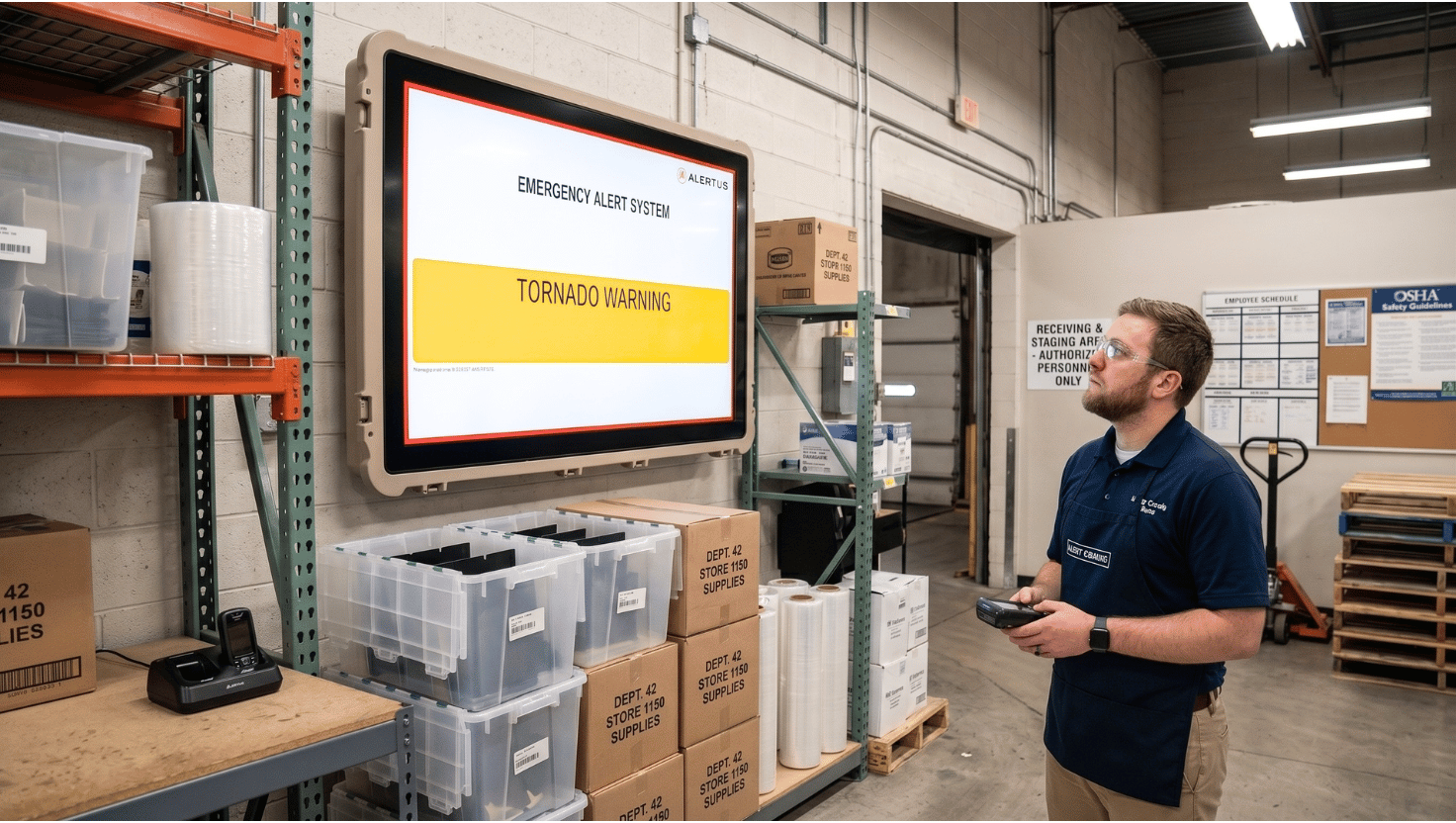
When seconds count during an emergency, effective communication becomes your most powerful tool. While organizations typically rely on email and text messaging for alerts, there's another communication channel that offers unique advantages: digital signage. Already strategically placed to deliver key messages, your digital displays are perfectly positioned to capture attention during critical situations.
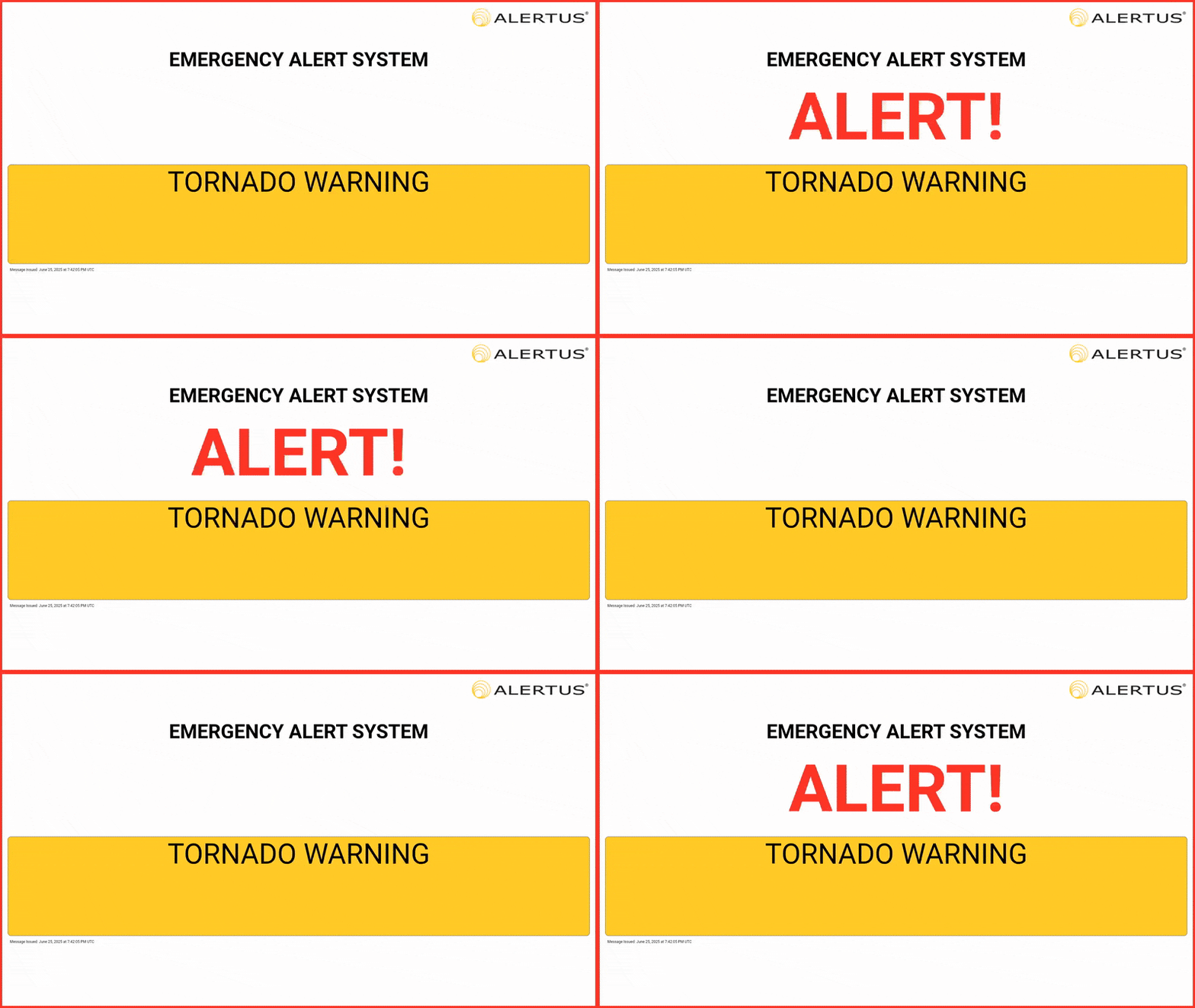
Emergency alert digital signage refers to screen-based displays that automatically override regular content to broadcast real-time emergency notifications to everyone in a space — including visitors and contractors who may not receive phone or email alerts.
Skykit's emergency alert integrations with Alertus and InformaCast transform your existing screens from an everyday communication tool into a frontline component of your safety infrastructure.
How Does Digital Signage Support Emergency Communication?
Digital signage fills critical communication gaps that email and SMS alone cannot cover. Because screens are already positioned in high-traffic areas, they reach everyone in the space — not just employees with company devices.
- Immediate Visual Impact: Displays are already in high-visibility locations, making them ideal for capturing attention when seconds count.
- Universal Reach: Alerts everyone in the vicinity, including visitors and contractors who may not be on company email or text lists.
- Contextual Information: Can display evacuation routes, safety procedures, or other visual guidance that's difficult to convey through text alone.
Getting an alert to everyone in your organization the moment it matters is the goal. Digital signage is one of the few channels that can reach someone who has no idea their phone just buzzed.
What Do You Need to Get Started with Emergency Alert Digital Signage?
Skykit doesn't replace your emergency notification system. It extends it. To display emergency alerts on Skykit-managed screens, your organization needs an active emergency mass notification platform that connects with Skykit.
Skykit currently supports two of the most widely adopted platforms:
- InformaCast by Singlewire — widely used in education, healthcare, and enterprise environments.
- Alertus — a leading multi-channel notification platform used across corporate, government and campus settings.
If your organization already uses one of these platforms, you're ready to connect. If you're evaluating emergency notification systems for the first time, either is a strong starting point (and Skykit works seamlessly with both). Need a different platform? Contact us — we can evaluate additional integrations based on your organization's needs.
How Does Emergency Alert Digital Signage Work?
When an emergency occurs, Skykit receives the alert from your notification platform and immediately pushes it to the right screens — automatically, without manual intervention.
Here's the step-by-step workflow:
- An authorized user or automated workflow triggers an alert in InformaCast or Alertus.
- The platform sends the alert to Skykit via CAP (Common Alerting Protocol).
- Skykit maps the alert to the appropriate tenant using a unique Tenant Code, ensuring the right displays are targeted — whether that's one building or an entire campus.
- Screens override to display the alert immediately.
- When the alert is cancelled or expires, displays return to their normal content schedule.
What Types of Emergencies Can Digital Signage Support?
Digital signage can support a wide range of emergency scenarios — not just severe weather. Any situation that requires fast, facility-wide visual communication is a strong use case.
Common scenarios include:
- Fire alarms and evacuation notices
- Active shooter or lockdown alerts
- Chemical spill or hazardous material incidents
- Medical emergencies (e.g., AED needed)
- Facility-specific emergencies (e.g., line stop in manufacturing)
Different environments have different needs. Educational institutions prioritize lockdown protocols. Healthcare facilities use specific codes for different situations. Manufacturing environments need hazmat or line-stop warnings fast. Digital signage can be configured to meet those industry-specific requirements — and because it reaches everyone in the space, it fills communication gaps that phone-based systems can't.
What Does It Take to Integrate Emergency Alerts with Digital Signage?
Effective emergency alert integration requires a digital signage platform that supports real-time message delivery, accurate display targeting, and reliable network performance. Here's what to plan for:
- CAP support: Both InformaCast and Alertus deliver alerts to Skykit via CAP (Common Alerting Protocol), enabling real-time message delivery.
- Display targeting: Alerts are mapped to specific screens or groups based on criteria defined in your notification platform.
- Network reliability: Redundancy planning ensures messages are delivered even in challenging conditions.
- Tenant-based targeting: Skykit delivers alerts based on a Tenant Code that maps your alert platform to a specific group of displays. Multi-building organizations should plan their tenant structure before configuration — each building or location that needs independent alerting should be set up as its own Skykit tenant.
- Regular testing: Run drills before go-live and establish a recurring test cadence — this confirms alert delivery, targeting accuracy, and that content resumes correctly after the alert clears.
How Do You Set Up Emergency Alert Digital Signage?
A successful implementation starts before configuration — with the right planning, structure, and testing cadence in place.
- Audit your current communication gaps: Identify where email and SMS fall short, and map your display locations against high-traffic and evacuation-route areas.
- Plan your tenant structure early: Getting targeting right from the start avoids rework later.
- Use clear, readable alert Templates: Skykit provides standard templates optimized for digital signage readability; custom templates can also be configured to meet specific requirements.
- Test before you need it: Incorporate digital signage into emergency drills so your team knows exactly what to expect.
- Train key personnel: Ensure the right people know how to trigger alerts and what to do if something doesn't behave as expected.
{{divider}}
Frequently Asked Questions
Does Skykit replace my existing emergency notification system? No. Skykit extends your existing system, not replaces it. InformaCast or Alertus remains your source of truth for triggering and managing alerts. Skykit simply adds your digital displays as an additional delivery channel.
Which emergency notification platforms does Skykit integrate with? Skykit currently integrates with InformaCast by Singlewire and Alertus. Both platforms communicate with Skykit via CAP (Common Alerting Protocol). If your organization uses a different platform, contact us — we can evaluate additional integrations based on your needs.
What happens to my screens after an emergency alert clears? Once an alert is cancelled or reaches its set expiration time, Skykit automatically returns all affected displays to their normal content schedule. No manual intervention is required.
{{divider}}
Ready to Add Screens to Your Safety Infrastructure?
Whether you're already running InformaCast or Alertus, evaluating emergency notification systems for the first time, or just exploring what's possible — Skykit's emergency alert integration is built to work with the tools you already have.
{{cta}}

Ready to Add Screens to Your Safety Infrastructure?
Whether you're already running InformaCast or Alertus, evaluating emergency notification systems for the first time, or just exploring what's possible — Skykit's emergency alert integration is built to work with the tools you already have.
Contact our team today to learn how to connect your notification platform to your Skykit-managed displays.











.svg)


