.svg)

Skykit shipped seven major releases in Q2 2026 to our digital signage platform, each built to solve a real problem our customers and prospects told us they were facing. Rather than a list of unrelated features, every release ties back to three priorities:
- Create faster - removing unnecessary steps from content creation and publishing.
- Manage with confidence - giving administrators stronger visibility, governance and control.
- Make screens more valuable - turning screens into a more useful operational channel.
Here's what shipped, why it matters, and what's coming next on the 2026 Skykit roadmap.
1. Canva Integration | How does the Skykit Canva integration work?
Skykit now integrates directly with Canva, the online design platform, so teams can publish a design straight from Canva to Skykit without exporting, downloading, and re-uploading a file every time a design changes.
Before this integration, publishing a Canva design to a digital signage screen meant exporting the file, downloading it, uploading it into Skykit, and repeating the entire process whenever the design was updated. Individually, none of those steps was difficult. But for teams managing frequent campaigns across multiple screens or locations, the extra clicks added up quickly.
Now, users can publish a design directly from Canva into Skykit, and jump back into the original Canva file from inside Skykit whenever they need to make an edit. One customer described it as "a huge time saver." It shortens the distance between an idea and the moment it appears on screen, and gives marketing and operations teams confidence they're always working from the correct version.
2. Emergency Alerts | How does Skykit handle emergency alerts on digital signage?
Skykit now natively integrates with Alertus and InformaCast, two of the largest emergency alert providers, so critical alerts can automatically override whatever is currently playing on a digital signage screen.
Most of the time, a digital signage screen is showing scheduled content: dashboards, menus, or promotional material. But during an emergency, none of that content should stand in the way of a critical message. With native Alertus and InformaCast integrations, Skykit can receive an alert, automatically interrupt the content playing on the appropriate screens, display the emergency information, and then restore the original content once the event has ended — all without anyone needing to log into multiple systems or manually update a playlist.
This matters because predictability is critical during a crisis. Turning an existing screen network into an immediate emergency communication channel means the right information reaches people quickly and consistently, without adding another manual task to an already stressful moment.
3. Live View | How can I verify what's actually playing on a digital signage screen remotely?
Skykit's Live View feature gives administrators a real-time visual view of exactly what's playing on a selected screen, so they can verify content and troubleshoot without an on-site visit.
If you manage digital signage screens across multiple locations, this problem probably sounds familiar: you schedule content, the platform confirms it was sent, but you have no way to know what's actually showing on the screen in front of a viewer. Without that visibility, troubleshooting usually starts with a phone call to someone on-site (or sending someone to physically check the screen).
Live View closes that gap by providing a current visual confirmation of what's actually appearing on a screen, not just what was scheduled to play. That means faster support, fewer unnecessary site visits, and more confidence that campaigns and critical messages are displaying correctly everywhere they should be.
4. App Management | How do I manage multiple digital signage integrations in one place?
Skykit's new App Management feature brings every connected integration — dashboards, content tools, emergency communication systems, and more — into a single, centralized view.
As organizations connect more tools to their digital signage environment, keeping track of what's connected (and how each one is configured) can get complicated fast. App Management solves this by giving administrators one place to see which integrations are available, which are already connected, and where configuration is needed.
The result is simplicity and visibility: it's easier to set up new tools, understand what's already connected, and manage the environment as it grows. All without adding the complexity that usually comes with scaling up.
5. Dashboard Integrations | What dashboard integrations does Skykit support?
Skykit supports 100+ dashboard integrations, including tools such as Power BI, Tableau, Salesforce, and Grafana, allowing organizations to display live operational data directly on their digital signage screens.
Most organizations already have valuable information living in business tools like these. The challenge is that the people who need that information aren't always sitting at a desk with those tools open. Digital signage solves this by turning screens into a shared, always-visible communication channel for data that would otherwise stay locked behind a login.
Whether it's production performance on a manufacturing floor, sales progress in an office, staffing information in a healthcare setting, or service metrics in a distribution center, bringing that data onto a screen means people can act on it where they're already working — creating shared visibility and helping teams identify issues sooner.
6. Expanded User Roles | How does Skykit control who can manage digital signage content?
Skykit added three new user roles this quarter: Content Creator, Content Organizer, and Content Manager — so organizations can delegate content responsibilities without granting full administrative access.
As more people get involved in managing digital signage, organizations often face a tradeoff:
- Keep access limited to a small group and create a bottleneck.
- Or, open up broader access than people actually need.
Neither option scales well. Skykit's expanded roles offer a practical middle ground. A Content Creator can add approved content, a Content Organizer can arrange existing content into playlists or collections, and a Content Manager can oversee the broader content workflow, all without requiring full administrative control.
This means the right people can do the right job without gaining access to everything else. Marketing can create content, a local team can organize what appears at its location, and a central administrator retains control over screens, settings, and the broader environment — reducing bottlenecks without sacrificing governance.
7. Content Sharing | How does content sharing work across multiple digital signage locations?
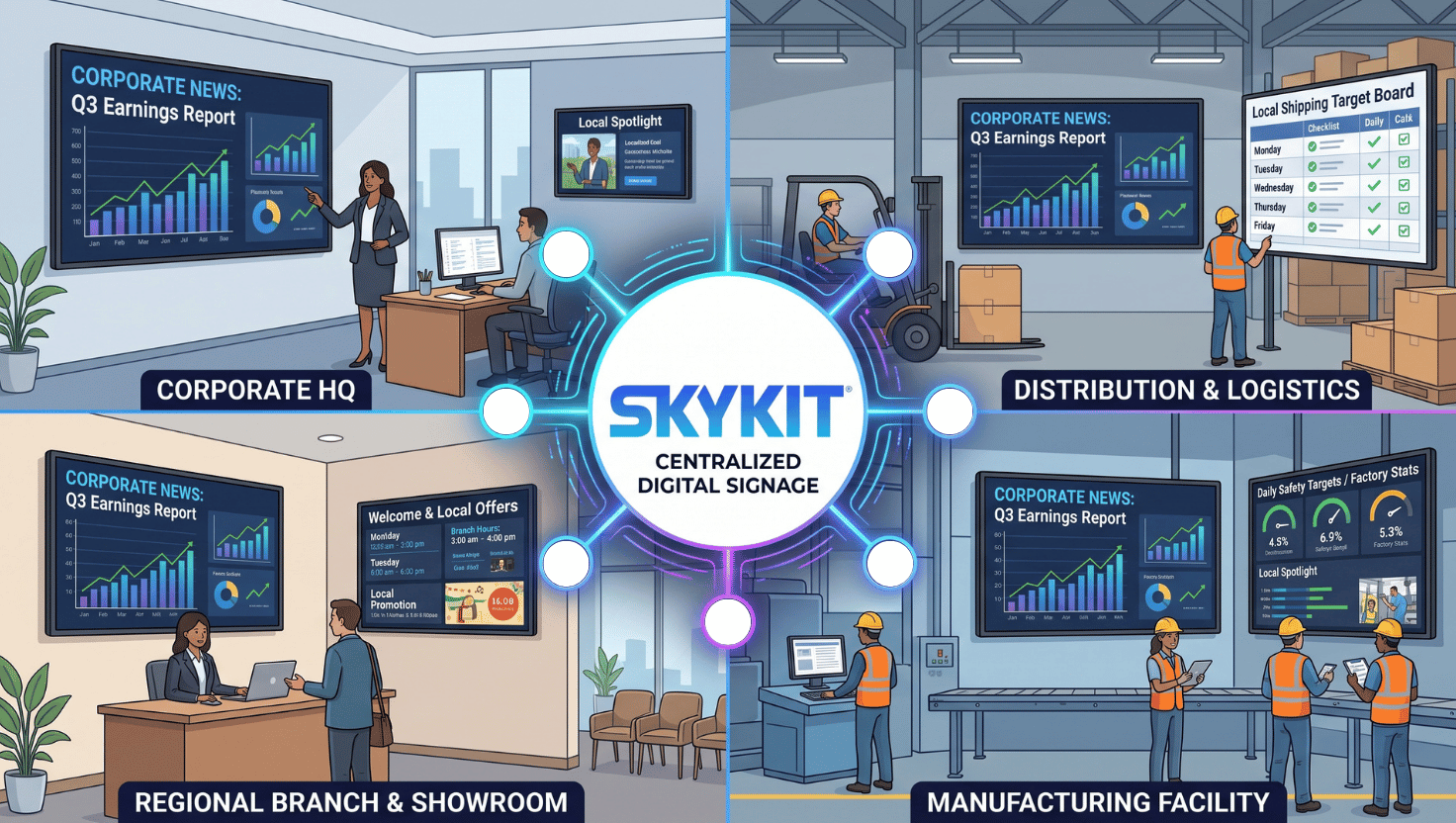
Skykit's content sharing feature lets a central team create content once and make it available to multiple locations, departments, or tenants — without requiring every location to re-upload or recreate the same content.
Before this feature, a central team creating an approved campaign would typically need every location to individually upload or recreate that same content, which duplicates work and makes version control difficult. With content sharing, a parent organization creates the content once, and local teams can choose from that approved library while the central organization retains control over brand and messaging.
Think of a company launching a safety campaign across fifty facilities: instead of distributing files and instructions to fifty different people and hoping everyone uploads the correct version, the central team makes the approved materials available once. It's a small shift with a big payoff. Consistency without removing local flexibility, and significant time savings as an organization scales its use of digital signage.
{{divider}}
What's coming next for Skykit's digital signage platform?
Looking ahead to Q3 2026, Skykit's roadmap is organized around three themes: smarter and more proactive operations, scalable content governance, and a more flexible, enterprise-ready infrastructure.
Smarter, more proactive operations starts with Data Insights, a new capability that gives account-level visibility into fleet health and content delivery in one place (instead of checking tenant by tenant) with the option to feed that data into a customer's own BI tool. Alongside that, we're rebuilding alerts and notifications based directly on customer feedback that today's device-level alerts are too noisy. The goal is configurable thresholds, more control over alert cadence, and summary-level reporting like end-of-day status updates, so customers can choose the level of detail that fits their role.
Scalable content governance centers on Collections and Layouts, which combines the visual power of layouts with the scheduling intelligence of play rules — reducing manual rebuild work and giving administrators more centralized control over what plays where and when. It's already available to new customers and expanding to existing customers over the coming months.
Flexible, enterprise-ready infrastructure includes Enterprise Content Integrations (ECI), aimed at organizations that want to pair their own content management systems with Skykit's platform — combining the reliability of Skykit's software and hardware with the flexibility to work within an existing tech stack.
As always, roadmap items are directional and subject to change as we get closer to shipping. If any of this speaks to a problem you're solving right now, we'd love to hear about it.
{{cta}}

Questions about any of these releases?
Reach out to our team, or get in touch with me directly. We're always glad to talk through how any of these releases or roadmap items might apply to your organization's digital signage needs.










.svg)


